
Amazon affiliate links - we earn a commission.Affiliate disclosure

Buying guide · 13 min read · Updated 2026-11-19

Best Ink Tank Printers for Home Offices (2026)

Six refillable ink tank printers for home offices compared on ink in the box, ADF, duplex, speed and refill design, with clear picks for each work style.

James MillerBy James MillerLead Machine Editor6 machines comparedSpec-sheet verified
Best Ink Tank Printers for Home Offices

At a glance

Our top picks

Side by side

Spec comparison

MachineTypeInk in boxRefillFunctionsWireless
Epson EcoTank ET-4950 Wireless Supertank All-in-OneBest OverallEpson EcoTank ET-4950 Wireless Supertank All-in-OneInk tank multifunctionUp to 6,600 black / 5,500 color pagesKeyed EcoFit bottlesPrint, scan, copy, faxWi-Fi with mobile printing
Epson EcoTank ET-2800 Wireless Supertank All-in-OneBest Compact TankEpson EcoTank ET-2800 Wireless Supertank All-in-OneInk tank multifunctionn/aCartridge-free bottlesPrint, scan, copyWi-Fi printing, scanning
Epson EcoTank ET-2988 with Up to 3 Years of InkMost Ink in the BoxEpson EcoTank ET-2988 with Up to 3 Years of InkInk tank multifunctionUp to 6,600 black / 5,500 color pagesKeyed EcoFit bottlesn/aWi-Fi
Canon MegaTank G3270 Wireless All-in-OneBest ValueCanon MegaTank G3270 Wireless All-in-OneInk tank multifunctionUp to two years of inkn/aPrint, copy, scanWi-Fi with mobile printing
HP Smart Tank 7603 Wireless All-in-One with FaxBest HP Office TankHP Smart Tank 7603 Wireless All-in-One with FaxInk tank multifunctionUp to three years of HP inkn/aPrint, copy, scan, faxn/a
HP Smart Tank 5101 Wireless All-in-One, 2 Years of InkBest Light-Use HP TankHP Smart Tank 5101 Wireless All-in-One, 2 Years of InkInk tank multifunctionUp to two years of HP inkn/aPrint, scan, copyWi-Fi printing

An ink tank printer replaces small cartridges with large refillable reservoirs that you top up from bottles. The upfront cost is higher than a cartridge inkjet, but the ink in the box and the bottles that follow are priced so that each page costs a fraction of a cartridge page.

The categories that matter in a home office are how much ink ships in the box, whether the printer has a document feeder, how fast the engine runs and how clean the refill is. Tanks also need regular use, because ink that sits too long can settle or clog the printhead.

Before you buy

6 Criteria to Look For Before Buying an Ink Tank Printer for Home Offices

  1. 01

    Ink in the box versus bottles later

    Tank printers ship with a large starter supply, and the amount decides your first years of cost. The Epson ET-4950 and ET-2988 list up to 6,600 black and 5,500 color pages, the Canon MegaTank G3270 up to 6,000 black and 7,700 color. Count how many pages you print in a year and see how long the box supply lasts.

  2. 02

    Cost of replacement bottles

    The low cost per page of a tank comes from the bottles, so compare the price and yield of the replacement set rather than the starter. Keyed bottles, as on the Epson EcoFit design, reduce spills. Third-party bottles are cheaper but can void claims, so read the warranty.

  3. 03

    Document feeder

    A feeder is what separates an office tank from a household one. The Epson ET-4950 and HP Smart Tank 7603 have it, while the Epson ET-2800, Canon G3270 and HP 5101 do not. Without a feeder, copying a ten page form means ten trips to the glass.

  4. 04

    Print speed

    Ink tank engines are slower than lasers, and the Epson ET-4850 family lists 15.5 pages per minute black and 8.5 color, so a long color document takes patience. The tradeoff for low ink cost is slower first page and slower color. If you print long documents daily, a laser is faster.

  5. 05

    Usage rhythm and clogging

    Inkjet nozzles dry out if the printer sits for weeks, and tanks are no exception. A weekly test page keeps the head wet. If you print only a few times a year, a laser or a cartridge inkjet that is cheap to replace is the better buy.

  6. 06

    Text and photo behavior

    Pigment black ink stays sharp on plain paper and resists smudging, while dye color ink gives vivid photos. Many tank printers use this pairing. For true photo work on glossy paper, check the model specs, because a standard tank is not a dedicated photo printer.

Detailed reviews

The 6 best ink tank printers for home offices, explained

01
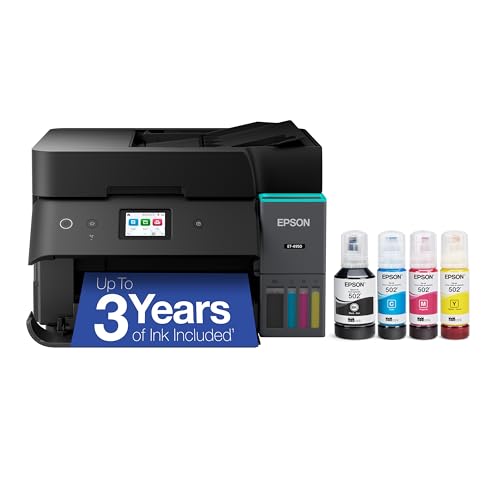
Epson EcoTank ET-4950 Wireless Supertank All-in-One
Ink tank6,600 B / 5,500 CAuto feederWireless
Check price on Amazon
Best for: Home offices that scan and copy stacks and want years of ink in the box.

Epson's ET-4950 is the office-oriented ink tank in this lineup, adding a feeder and fax to the EcoTank refill design. The box ships with ink for up to 6,600 black and 5,500 color pages, a supply that can carry a small office for years, and the keyed EcoFit bottles are shaped so the wrong color cannot go in the wrong tank.

The tradeoff against the simpler Epson ET-2800 is size and tier. The ET-4950 is a bigger machine with a higher entry cost, and the extra money buys a feeder, fax and a faster workflow rather than better print quality. Both use Epson's heat-free Micro Piezo head, so photos and text look similar between them.

Ownership rests on keeping the head fed. Print something every week or two to prevent nozzle clogs, run a nozzle check when lines appear and keep bottles upright and capped. Pigment black ink produces text that resists smudging on plain paper, while color ink is dye-based, so check how you will use it before storing printouts in sunlight.

What works

  • Up to 6,600 black pages of ink in the box
  • Automatic feeder for scan and copy stacks
  • Keyed bottles prevent color mix-ups when refilling
  • Fax included for forms workflows

Watch out for

  • Larger body than the entry EcoTanks
  • Higher entry cost than the ET-2800
  • Needs regular use to keep nozzles clear

Spec sheet

Type
Ink tank multifunction
Ink in box
Up to 6,600 black / 5,500 color pages
Refill
Keyed EcoFit bottles
Functions
Print, scan, copy, fax
Wireless
Wi-Fi with mobile printing
02
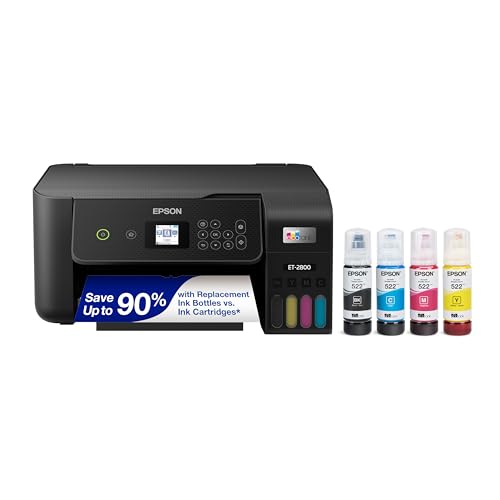
Epson EcoTank ET-2800 Wireless Supertank All-in-One
Ink tankPrint scan copyWirelessCompact
Check price on Amazon
Best for: Small households that want a compact tank with print, scan and copy.

The ET-2800 is the compact entry to Epson's tank range, packing a flatbed scanner, copier and Wi-Fi into a small chassis. It uses the same refillable tank idea as the ET-4950, so there are no small cartridges to replace, and the front tank window lets you see ink levels at a glance.

The sacrifice is features: no feeder, no fax and a slower workflow than the ET-4950. For a household that scans a receipt now and then, that is fine, and the compact body is easier to place. Offices that need to copy multi-page documents should step up to the Epson ET-4950.

Ownership is the same discipline as every ink tank. Print weekly to keep nozzles wet, refill from the bottle when the level approaches the lower line, and do not overfill. Over several years the low per-page ink cost is the payoff, but only if the machine is used regularly.

What works

  • Compact body for a crowded desk
  • Front tank window shows ink level
  • Cartridge-free bottles cut running cost
  • Wi-Fi printing and scanning included

Watch out for

  • No document feeder for stack scanning
  • No fax function
  • Slower workflow than the ET-4950

Spec sheet

Type
Ink tank multifunction
Functions
Print, scan, copy
Wireless
Wi-Fi printing, scanning
Refill
Cartridge-free bottles
Class
Entry EcoTank
03
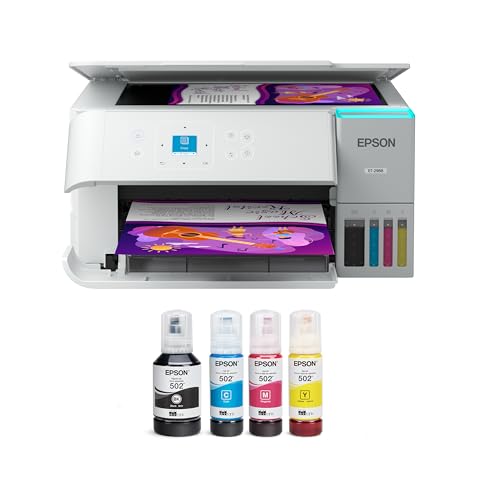
Epson EcoTank ET-2988 with Up to 3 Years of Ink
Ink tank3 years of ink6,600 B / 5,500 CWi-Fi
Check price on Amazon
Best for: Households that print steadily and want years before buying more ink.

Epson positions the ET-2988 around the long haul: the listing promises up to three years of ink and a pack large enough for up to 6,600 black and 5,500 color pages. That supply makes the printer a set-and-forget option for a household that prints a steady but modest amount.

The tradeoff is that the engine is the entry class, so the speed and paper handling lag behind the Epson ET-4950's office feel. There is no feeder or fax to lean on, and the figure of three years assumes typical home use, not a daily office run. For heavy printing the box supply will deplete faster, and you will start buying bottles sooner.

In ownership, the large starter supply is the main saving. Bottles are keyed to avoid pouring errors, and the habit that keeps an Epson head happy is the same as elsewhere: print a test page every week or so. If the printer will sit idle for months, a tank is not the right tool.

What works

  • Ink supply meant to last up to three years
  • 6,600 black pages of ink in the box
  • Keyed bottles stop pouring mistakes
  • Wi-Fi and a flatbed in a modest footprint

Watch out for

  • Entry-class speed and paper handling
  • No feeder or fax
  • Three-year claim assumes light home use

Spec sheet

Type
Ink tank multifunction
Ink in box
Up to 6,600 black / 5,500 color pages
Supply
Up to three years of ink
Refill
Keyed EcoFit bottles
Wireless
Wi-Fi
04
Canon MegaTank G3270 Wireless All-in-One
Ink tank6,000 B / 7,700 C2 years of inkWi-Fi
Check price on Amazon
Best for: Families printing documents and color projects on one machine.

Canon's MegaTank G3270 is the value pick of the lineup, listing up to two years of ink in the box and a yield of up to 6,000 black and 7,700 color pages from one set. The color yield is higher than the Epson ET-4950's 5,500 pages, which suits a household printing school projects and pictures.

The limit is that the G3270 has no feeder or fax and a basic panel, so it is a household tool rather than an office one. Black text uses pigment on Canon tanks in this class, but check the listing details before relying on smudge resistance. If you scan stacks, the Epson ET-4950 is the better fit.

Ownership follows Canon's refill design, with bottles that fill from the front or top tank depending on the model. The key habit is regular use: a weekly page keeps the printhead from drying. Since the engine is simple and the supply is large, this is a calm printer to own for a family.

What works

  • Color yield of up to 7,700 pages from one set
  • Two years of ink included in the box
  • Compact all-in-one with Wi-Fi
  • Simple operation for the whole household

Watch out for

  • No automatic document feeder
  • No fax and a basic control panel
  • Slower than office-class machines

Spec sheet

Type
Ink tank multifunction
Ink yield
Up to 6,000 black / 7,700 color pages
Ink in box
Up to two years of ink
Functions
Print, copy, scan
Wireless
Wi-Fi with mobile printing
05
HP Smart Tank 7603 Wireless All-in-One with Fax
Ink tank3 years of inkAuto feederFax
Check price on Amazon
Best for: Small offices that want a feeder, fax and a big ink supply from HP.

HP's Smart Tank 7603 is the full-featured tank here, combining an automatic document feeder, fax and a touch-style control panel with up to three years of ink. HP quotes a yield of up to 8,000 pages from the supply, which is the largest figure in this lineup.

The weak spot is HP's ecosystem. The printer is tied to HP's ink bottles and software, and the HP app is the center of setup, so a buyer who dislikes accounts should read the terms first. Against the Epson ET-4950, it matches the feeder and fax and claims a larger supply, but the Epson refill design is cleaner for some buyers.

Ownership is about regular printing and the right bottles. Use genuine HP bottles, print weekly and follow the refill procedure to avoid air in the lines. With the feeder and fax it can anchor a small office, provided the ink tank habit fits your volume.

What works

  • Automatic feeder for scanning and copying stacks
  • Up to three years of ink included
  • Fax and touch-style control panel
  • Quoted yield of up to 8,000 pages

Watch out for

  • Tied to HP ink bottles and the HP app
  • Larger body than entry tanks
  • Higher tier than the compact tank models

Spec sheet

Type
Ink tank multifunction
Ink in box
Up to three years of HP ink
Page yield
Up to 8,000 pages quoted
Functions
Print, copy, scan, fax
Feeder
Automatic document feeder
06
HP Smart Tank 5101 Wireless All-in-One, 2 Years of Ink
Ink tank2 years of inkWirelessPrint scan copy
Check price on Amazon
Best for: Light home use where a low per-page ink cost matters.

The Smart Tank 5101 is HP's entry tank, packing two years of ink and a three-in-one function set into a compact design. HP markets the machine as low-fuss, and the cartridge-free tanks mean fewer parts to buy and replace.

The tradeoff is the lack of a feeder and fax, which the HP Smart Tank 7603 includes, and the supply is smaller at two years against three. For a household that scans single pages, that is fine. For copying a stack of forms, it is slow.

Ownership follows the tank routine: refill carefully, print regularly and keep bottles capped. The low per-page ink cost is the reason to choose a tank at all, so the printer rewards steady use. If your printing is occasional, a laser is the better answer.

What works

  • Two years of ink included in the box
  • Compact three-in-one body
  • Cartridge-free tanks reduce running cost
  • Simple setup for a household

Watch out for

  • No feeder or fax function
  • Smaller ink supply than the 7603
  • Needs regular use to avoid clogged nozzles

Spec sheet

Type
Ink tank multifunction
Ink in box
Up to two years of HP ink
Functions
Print, scan, copy
Wireless
Wi-Fi printing
Design
Cartridge-free tanks

Spec sheet decoder

What the numbers on the box really mean

The specs manufacturers lead with, translated into what they tell you about real-world performance.

Pages of ink in box

This is the starter supply rated in pages at standard coverage. Dense pages and photos use ink faster than the figure suggests.

Watch forThe Epson ET-2988 lists up to 6,600 black and 5,500 color pages, while the Canon G3270 lists 6,000 and 7,700.

Years of ink

Years of ink is the maker's estimate for typical home use, not a guarantee. Heavy use shortens it.

Watch forThe HP Smart Tank 7603 claims three years, and the HP 5101 claims two.

ADF

An automatic document feeder pulls pages through the scanner without you touching them. It saves time on multi-page forms.

Watch forOnly the Epson ET-4950 and HP Smart Tank 7603 have a feeder here.

ppm black and color

Pages per minute measures sustained speed; color is slower than black on ink tanks.

Watch forEpson ET-4850 class lists 15.5 black and 8.5 color, a gap that grows on photos.

Keyed bottles

Keyed bottles only fit the matching tank, so you cannot pour the wrong color. This cuts the main refill mistake.

Watch forEpson's EcoFit design on the ET-2800, ET-4950 and ET-2988 uses keyed bottles.

Methodology

How We Evaluated These Ink Tank Printers for Home Offices

Ink economics

We compared the ink supply in the box, from up to 6,000 black pages on the Canon G3270 to the three years claimed for the HP Smart Tank 7603. We also looked at the bottle system and what replacements are likely to cost. Cost per page mattered more than the box price.

Office features

We checked for feeders, fax and tray size, since the Epson ET-4950 and HP 7603 have a feeder while the entry tanks do not. Features that suit stack scanning earned credit. Compact size was weighed against capability.

Refill design

We examined bottle keying, tank windows and the risk of spills. Epson's EcoFit keyed bottles scored well for mistake prevention. Clean refilling matters on a desk with other equipment.

Print behavior

We considered text sharpness, color ability and the speed gap between black and color. Ink tanks are slower than lasers, which we noted as a tradeoff rather than a fault. Heat-free heads were counted for durability.

Ownership rhythm

We judged how well each printer tolerates idle periods and what upkeep it demands. A weekly page is the baseline for all tanks. The risk of clogging weighed on machines for infrequent users.

Decision guide

How to Choose the Right Ink Tank Printers for Home Offices

By Work Style

SituationPickWhy
Scan and copy stacks of formsEpson EcoTank ET-4950Feeder, fax and a large ink supply
Small office, HP ecosystemHP Smart Tank 7603Feeder, fax and up to three years of ink
Household with color projectsCanon MegaTank G3270Up to 7,700 color pages per set
Tiny desk, scanning single pagesEpson EcoTank ET-2800Compact flatbed tank
Steady home printing, long gaps between refillsEpson EcoTank ET-2988Up to three years of ink in the box
Light home use, HP appHP Smart Tank 5101Two years of ink and simple setup

By Budget

TierPickWhy
Lowest tierEpson EcoTank ET-2800Cheapest route into the EcoTank design
Low tierHP Smart Tank 5101Two years of ink at an entry price
Lower mid tierCanon MegaTank G3270Larger color yield for the money
Mid tierEpson EcoTank ET-2988Three years of ink in the box
Upper tierHP Smart Tank 7603Feeder and fax with a large supply
Top tierEpson EcoTank ET-4950Feeder, fax and the cleanest refill

Ink Tank vs Cartridge Inkjet

Ink tank

Tanks lower the cost per page through large bottles, so the Epson ET-4950 and Canon G3270 reward steady printing. The upfront price is higher, and the printhead needs weekly use.

Cartridge inkjet

A cartridge inkjet is cheaper to buy but costs more per page, and the small cartridges run out quickly. It suits a household that prints a few pages a month.

Choose a tank if you print weekly; choose a cartridge inkjet or a laser if you print rarely.

Feeder or Flatbed

PreferencePickWhy
Feeder for stacksEpson EcoTank ET-4950Automatic feeder with fax
Feeder plus HP touch panelHP Smart Tank 7603Feeder, fax and touch controls
Flatbed only, smaller bodyEpson EcoTank ET-2800Compact scanner glass
Flatbed, color-heavy householdCanon MegaTank G3270Big color supply

For Occasional Printers Specifically

Look for

Occasional printers should favor the biggest ink supply and the simplest upkeep, since a long idle gap threatens the printhead. A tank is only worth it if a page prints at least every week or two.

In this comparison

The Epson ET-2988 and HP Smart Tank 5101 carry the largest starter supplies for light use. If idle time exceeds a month, a laser is a better match than any tank here.

When to Spend More

Spend more if

Spend more if you copy or scan stacks or still need fax, where the Epson ET-4950 and HP Smart Tank 7603 earn their tier. Also spend more if you print daily and want the biggest ink supply.

Save if

Save if you scan single pages and print documents a few times a week, where the Epson ET-2800 or Canon MegaTank G3270 does the job at a lower tier.

Ownership

Maintenance schedule

The upkeep that decides whether this machine lasts two seasons or ten.

TaskIntervalWhy it matters
Print a test pageWeeklyRegular use keeps nozzles wet and prevents dried ink plugs. A single color page is enough.
Run a nozzle checkWhen lines appearGaps in a nozzle pattern show a clog early. A cleaning cycle uses ink, so run it only when needed.
Refill carefullyWhen ink nears the lower lineOverfilling causes spills and underfilling lets air into the lines. Use the keyed bottle and stop at the upper mark.
Keep bottles upright and cappedAlwaysOpen or tilted bottles leak and dry out. Store them in a cool place away from sun.
Wipe the scanner glassMonthlySpecks cause lines on scans and copies. Use a dry microfiber cloth.

FAQ

Frequently Asked Questions

Is an ink tank printer worth it for a home office?

It is worth it if you print weekly or more, because the bottles bring the cost per page far below cartridges. If you print a few pages a month, the upfront cost and clog risk make a laser or cheap cartridge inkjet the better choice.

How long does the ink in the box last?

The listings quote up to two or three years of ink for typical home use, and page yields such as up to 6,600 black pages on the Epson ET-4950. Heavy printing and photo use shorten the supply.

Do ink tank printers clog if I do not use them?

They can, like all inkjets, if left idle for weeks. A weekly test page keeps the printhead wet, and a nozzle check can clear small clogs early.

Is the text from a tank printer as sharp as a laser?

Pigment black ink is sharp and resists smudging on plain paper, but a laser still prints small text slightly crisper and faster. For everyday documents the difference is small.

Can I use third-party ink bottles?

You can, and they cost less, but quality varies and a claim under warranty can be denied if a third-party ink damaged the printhead. Read the terms for your model.

Which tank is best for photos?

A standard tank with dye color ink gives good snapshots, but a dedicated photo printer with extra color channels does better on gradients. Check the model specs before expecting gallery prints.

Bottom line

The short version

Browse more ink tank printers for home officeson Amazon →
James Miller, Lead Machine Editor

About the author

James Miller

Lead Machine Editor, MachineFanatic

James Miller leads MachineFanatic's buying guides, turning spec sheets, manuals and owner feedback into clear verdicts on power tools, outdoor power equipment, shop machines and kitchen machines.

More from James →

Keep reading

Related guides