
Amazon affiliate links - we earn a commission.Affiliate disclosure

Buying guide · 12 min read · Updated 2026-11-19

Best Budget Laser Printers (2026)

Six low-cost monochrome laser printers compared on duplex, Wi-Fi, speed and toner upkeep, so you pick the right cheap laser for text-heavy home work.

James MillerBy James MillerLead Machine Editor6 machines comparedSpec-sheet verified
Best Budget Laser Printers

At a glance

Our top picks

Side by side

Spec comparison

MachineTypeDuplexWirelessSpeed
Brother HL-L2460DW Wireless Duplex Mono LaserBest OverallBrother HL-L2460DW Wireless Duplex Mono LaserMonochrome laser, print onlyAutomatic two-sidedDual-band 2.4 and 5 GHzn/a
Brother HL-L2405W Wireless Compact Mono LaserBest ValueBrother HL-L2405W Wireless Compact Mono LaserMonochrome laser, print onlyManual onlyWi-Fi with mobile appn/a
HP LaserJet M110w Compact Wireless Mono LaserSmallest BodyHP LaserJet M110w Compact Wireless Mono LaserMonochrome laser, print onlyManual onlyWi-FiUp to 21 pages per minute
HP LaserJet M209d Duplex Mono LaserBest Cheap DuplexHP LaserJet M209d Duplex Mono LaserMonochrome laser, print onlyAutomatic two-sidedn/an/a
Canon imageCLASS LBP6030w Wireless Mono LaserBest Ultra-CompactCanon imageCLASS LBP6030w Wireless Mono LaserMonochrome laser, print onlyManual onlyWi-Fi to mobile devicesUp to 19 pages per minute
HP LaserJet MFP M140w Wireless Mono Laser All-in-OneBest With ScannerHP LaserJet MFP M140w Wireless Mono Laser All-in-OneMonochrome laser multifunctionManual onlyWi-FiUp to 21 pages per minute

A budget laser trades color and photo ability for the one thing a laser does better than any inkjet: sharp black text that does not smear, does not dry out in a drawer and costs very little per page once the toner is in. The people who benefit most are those who print forms, school work, shipping paperwork and the occasional contract.

The entry level of this market is crowded with look-alike boxes, and the differences that matter are small but real: whether the machine prints on both sides, how it joins the network, what the first toner cartridge actually holds and whether a scanner is bolted on. This guide sorts those differences by who they help.

Before you buy

6 Criteria to Look For Before Buying a Budget Laser Printer

  1. 01

    Cost per page, not box price

    A laser printer is cheap to run only if the replacement toner is the high-yield size, because the starter cartridge shipped in the box is usually a partial fill. Divide the replacement toner price by its rated page yield, which is measured at five percent page coverage, and expect dense pages to cost more. Buyers often compare box prices and ignore this, so a cheaper machine like the Canon LBP6030w can cost more per page than a sturdier Brother HL-L2460DW.

  2. 02

    Duplex built in or not

    Automatic duplex flips the sheet inside the printer so both sides print in one pass. Without it you print odd pages, restack and print the evens, which is where page order errors and jams come from. In this lineup the Brother HL-L2460DW and HP LaserJet M209d have it, while the Brother HL-L2405W and the Canon LBP6030w do not.

  3. 03

    How it joins the network

    Wireless on the 2.4 GHz band is the baseline, but a printer that also reaches the 5 GHz band or offers Ethernet will be easier to keep online. The Brother HL-L2460DW lists both dual-band Wi-Fi and Ethernet, while the HP LaserJet M209d offers USB only. Buyers who skip this check end up resetting the printer after every router change.

  4. 04

    Single-function or multifunction

    A scanner adds a flatbed and a control panel, and both raise cost and dust exposure. If you scan more than a few pages a month the HP LaserJet MFP M140w earns its place, but a print-only machine like the HP LaserJet M110w is cheaper and easier to keep clean. Decide on scanning before you look at speed.

  5. 05

    Tray size and refill rhythm

    A tray holding 150 sheets, as on the HP LaserJet M209d, needs a refill after a long report, while a 250-sheet tray such as the one on the HP LaserJet Pro 3101sdw can run through a school packet unattended. Overfilling any tray causes misfeeds, so the right size is the one that matches your usual job length, not the biggest.

  6. 06

    Toner rules and warranty

    Manufacturers can update printer firmware so that non-original toner is rejected, and some ship toner with chips that tie it to the machine. Read the cartridge policy and the warranty term before purchase; the Canon LBP6030w lists a one year limited warranty. A cheap printer with locked toner can cost more over three years than a dearer open one.

Detailed reviews

The 6 best budget laser printers, explained

01
Brother HL-L2460DW Wireless Duplex Mono Laser
Mono laserAuto duplexDual-band Wi-FiEthernet
Check price on Amazon
Best for: Home offices that want duplex and a solid network connection without paying for a scanner.

Brother builds this model around a straightforward electrophotographic engine: a laser writes the page onto a drum, toner is fused with heat, and the paper exits face down. What lifts it above the other budget boxes is the connectivity block, because the listing confirms dual-band wireless on both 2.4 GHz and 5 GHz plus an Ethernet port. That matters in a home where the 2.4 GHz band is crowded with neighbors, since the printer can sit on the cleaner band and answer faster after a long idle period.

The tradeoff is that there is no scanner or copier here. The Brother DCP-L2640DW in the same family adds both, but it moves to a higher price tier, so a buyer who only prints should not pay for hardware that will sit unused. Automatic duplex is the second big win, because two-sided jobs halve paper use for school packets and long reports, which the single-sided Brother HL-L2405W cannot do without you flipping the stack by hand.

Ownership is quiet and simple. Mono laser toner survives months of disuse, so a printer that only gets used at tax time or term end will still print crisp on the first page. Plan on the starter toner running out sooner than the standard replacement, and check which replacement size you are buying before you shop, because the high-yield cartridge is the one that lowers the cost per page. Keep the paper stored flat and the duplex path stays reliable for years.

What works

  • Automatic duplex saves paper on long documents
  • Dual-band Wi-Fi plus Ethernet gives flexible networking
  • Mono toner does not dry out between jobs
  • Compact footprint fits a bookshelf or desk corner

Watch out for

  • No scanner, copier or fax function
  • Starter toner yield is smaller than a replacement
  • Print only black and white, no color at all

Spec sheet

Type
Monochrome laser, print only
Duplex
Automatic two-sided
Wireless
Dual-band 2.4 and 5 GHz
Wired
Ethernet and USB
Mobile
Brother Mobile Connect app
02
Brother HL-L2405W Wireless Compact Mono Laser
Mono laserWi-FiSingle-sidedCompact
Check price on Amazon
Best for: Students and light users who print black text on one side and want the lowest running cost.

This is the cheapest way into the Brother laser family, and the engineering reflects that: one paper path, a small tray, wireless for phones and laptops and a simple front panel with few lights rather than a screen. The listing stresses the Brother Mobile Connect app, which lets you send a document from a phone and check the toner state remotely, so the missing display is less of a handicap than it looks.

The obvious compromise against the HL-L2460DW is two-sided printing. Without a duplex unit, a double-sided job asks you to print the odd pages, flip the stack and feed it back in, which is exactly where mixed-up page order and jams creep in at home. If you print one or two pages at a time, none of that matters, and you save money by skipping the duplex module and its extra rollers.

Over years of ownership this model is about as low-maintenance as a printer gets. There is no ink to dry out, the toner cartridge is the main wear item, and the paper path has few moving parts to fail. It will not scan a receipt and it will not print a photo worth keeping, so treat it as a dedicated document printer that lives on a shelf and answers when called.

What works

  • Lowest entry cost among the Brother laser options
  • Mobile app shows toner status from a phone
  • Few moving parts means few things to jam
  • Small body slots onto a crowded desk

Watch out for

  • No automatic duplex, two-sided jobs are manual
  • USB and Wi-Fi only, no Ethernet port to plug in
  • Single-function, so no scanning or copying

Spec sheet

Type
Monochrome laser, print only
Duplex
Manual only
Wireless
Wi-Fi with mobile app
Wired
USB
Class
Entry level home laser
03
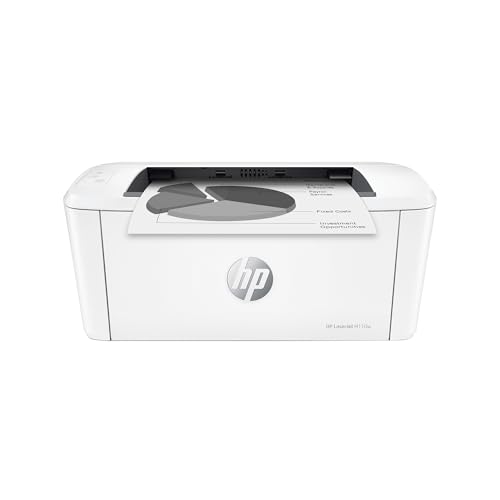
HP LaserJet M110w Compact Wireless Mono Laser
Mono laser21 ppmWi-FiVery compact
Check price on Amazon
Best for: Small desks and shelves where footprint matters more than features.

HP pitches this as the smallest laser in its class, and the design supports the claim: a squat, narrow body that fits on a shelf where a bulkier office laser will not. It prints up to 21 pages per minute on one side, which is slower than the 36 page per minute Brother DCP-L2640DW but well beyond what a household notices when the job is five pages.

The weak spot is that the entry-level feature set stops at print, wireless and USB. There is no duplex, no scanner and no Ethernet, so this unit works best as a personal printer placed near one user rather than a shared device for a small team. Since the compact chassis limits the paper tray, expect to reload more often than with the 250-sheet trays on the HP LaserJet Pro 3101sdw.

Ownership centers on HP toner. Genuine cartridges are the safe route for this model, and firmware updates from the maker can change how a printer treats third-party toner, so read the cartridge rules before you buy an off-brand replacement. Since the printer is compact and light, you can keep it in a closet and bring it out on demand, which suits a seldom-used home printer well.

What works

  • One of the smallest laser bodies in this lineup
  • 21 pages per minute is quick for short jobs
  • Wireless setup works with phones and laptops
  • Light enough to move between rooms

Watch out for

  • No duplex, scanner or Ethernet option
  • Small tray means frequent paper top-ups
  • Replacement toner choices need checking first

Spec sheet

Type
Monochrome laser, print only
Speed
Up to 21 pages per minute
Duplex
Manual only
Wireless
Wi-Fi
Size class
Smallest HP laser in its class
04
HP LaserJet M209d Duplex Mono Laser
Mono laserAuto duplex150-sheet trayUSB
Check price on Amazon
Best for: One-computer setups that want fast duplex output over a plain cable.

The M209d is the odd one out in this guide because the listing highlights automatic two-sided printing and a 150-sheet tray but only a USB cable, with no wireless claim. That makes it a wired desktop machine: plug it into one computer, or into a router or print server you already own, and it behaves like a tireless document press.

The tradeoff against the HL-L2460DW is plain: you give up Wi-Fi and Ethernet and the mobile app, and in return you get a duplex laser built around HP's speed claims for two-sided output. If your desk already has a computer that stays on, a USB printer avoids the wireless dropouts that cause most support calls. If you want to print from a phone, look elsewhere on this list.

In ownership terms it is minimal. The 150-sheet tray is smaller than the 250-sheet tray on the HP LaserJet Pro 3101sdw, so a long run needs a refill, and the only consumable is toner. Wired-only also means no network password to lose when you change routers, which is a quiet advantage for a printer that might sit untouched for months.

What works

  • Automatic duplex at a budget laser tier
  • USB cable is in the box, nothing to configure
  • 150-sheet tray handles a short ream run
  • Wired link avoids wireless dropouts

Watch out for

  • No Wi-Fi, so phone printing is off the table
  • Single-function with no scanner or copier
  • Smaller tray than the higher HP office models

Spec sheet

Type
Monochrome laser, print only
Duplex
Automatic two-sided
Input tray
150 sheets
Connection
USB cable included
Focus
Fast two-sided printing
05
Canon imageCLASS LBP6030w Wireless Mono Laser
Mono laser19 ppmWi-FiCompact
Check price on Amazon
Best for: Dorm rooms and spare desks that need the smallest, simplest text printer.

Canon's entry laser is the oldest design in this roundup, which is both its strength and its limit. It prints up to 19 pages per minute, connects wirelessly to phones and laptops and carries a one year limited warranty, and the engine is simple enough that it has served home desks for years without drama.

What you give up is age and reach. With no duplex, no Ethernet and a basic driver stack, it asks more from you than the newer Brother models, and its 19 page per minute rate is half the 36 pages per minute of the Brother DCP-L2640DW. Choose it when price and compactness decide, such as a dorm or a spare-room desk, not when you want features.

Ownership is easy: a single toner cartridge, a short paper path and no scanner glass to dust. Check driver support for your operating system before buying, because older Canon laser models can need a manual driver download on newer computers. Keep the toner sealed until needed and the unit will wait patiently in a cabinet.

What works

  • Compact body with low shelf footprint
  • One year limited warranty included
  • Simple single-cartridge design is easy to service
  • Wireless printing from mobile devices works out of box

Watch out for

  • Slowest rated speed in this lineup at 19 pages per minute
  • No duplex and no Ethernet connection
  • Older design may need a manual driver install

Spec sheet

Type
Monochrome laser, print only
Speed
Up to 19 pages per minute
Duplex
Manual only
Wireless
Wi-Fi to mobile devices
Warranty
One year limited
06
HP LaserJet MFP M140w Wireless Mono Laser All-in-One
Mono laserPrint scan copy21 ppmWi-Fi
Check price on Amazon
Best for: Households that mostly print text but need a basic scanner and copier.

This is the budget answer for anyone who needs to scan or copy a page now and then without buying a bigger machine. It adds a flatbed scan and copy function to the compact HP laser engine, and still prints up to 21 black and white pages per minute on one side.

The sacrifice is cost per function. A flatbed scanner is useful for receipts, IDs and school forms, but it raises the price tier above the print-only HP LaserJet M110w, and it still lacks the automatic duplex and document feeder that the HP LaserJet Pro 3101sdw brings with its 50-sheet feeder. If you scan a single page at a time, the flatbed is enough; if you scan stacks, step up.

Ownership adds one more chore: the scanner glass needs an occasional wipe with a dry microfiber cloth to prevent lines on scans. The toner behavior is the same as other lasers, with no drying and no clogged nozzles, and the unit stays dormant without penalty. For many households this model is the sweet spot between a print-only box and a full office machine.

What works

  • Flatbed scan and copy built into a compact body
  • 21 pages per minute covers everyday document jobs
  • Wireless printing from phones and laptops
  • One machine replaces a separate scanner

Watch out for

  • No automatic duplex and no document feeder
  • Higher tier than the print-only HP compact
  • Scanner glass collects dust and needs cleaning

Spec sheet

Type
Monochrome laser multifunction
Functions
Print, scan, copy
Speed
Up to 21 pages per minute
Duplex
Manual only
Wireless
Wi-Fi

Spec sheet decoder

What the numbers on the box really mean

The specs manufacturers lead with, translated into what they tell you about real-world performance.

Pages per minute

This is the speed after the first page has started, measured on plain text. The first-page-out time and warm-up delay matter more for short jobs.

Watch forThe Brother DCP-L2640DW lists up to 36 ppm while the Canon LBP6030w lists up to 19 ppm, a gap you will feel only on long documents.

Duplex

Automatic duplex means the printer prints both sides without help. Manual duplex asks you to re-feed the stack yourself.

Watch forThe d in a model name such as HP M209d signals auto duplex, while the w alone does not.

Input tray capacity

Tray capacity is the paper loaded in one go, given in sheets. Larger trays mean fewer refills but a bigger body.

Watch forThe HP M209d lists 150 sheets and the HP 3101sdw lists 250 sheets.

Starter toner yield

The cartridge in the box is typically smaller than the retail replacement. Page yield is quoted at a standard coverage level.

Watch forCompare the replacement yield of the Brother HL-L2405W and HL-L2460DW before you commit.

Connection options

USB is a cable to one computer, Wi-Fi is shared across devices and Ethernet is a wired network link.

Watch forThe HP M209d has USB only, while the Brother HL-L2460DW offers Wi-Fi, Ethernet and USB.

Methodology

How We Evaluated These Budget Laser Printers

Text sharpness and consistency

We evaluated each laser on how its engine type and resolution class handle small black text, based on the spec sheet and owner feedback patterns. Because every unit here is a monochrome laser, the real differences are in fusing and toner design. We noted which models carry a warranty and what the listing says about print quality.

Speed and first page

We compared rated speeds, from 19 pages per minute on the Canon LBP6030w to 36 on the Brother DCP-L2640DW family. We weighed short-job behavior and warm-up as much as the headline rate. A fast laser that sleeps and wakes slowly can feel slower than a modest one.

Paper handling

We checked automatic duplex, tray capacity and whether a document feeder exists. The HP LaserJet M209d and Brother HL-L2460DW have duplex, and the HP 3101sdw adds a feeder. We favored designs with simpler paper paths.

Connectivity and setup

We looked at Wi-Fi bands, Ethernet and USB, plus the vendor mobile apps. The dual-band Brother HL-L2460DW and the USB-only HP M209d sit at opposite ends. Setup effort and drop-out risk were weighed together.

Running cost and ownership

We considered toner yield, cartridge availability and the risk of locked consumables, since toner is the whole running cost. Mono lasers earn credit because the toner does not dry out. Footprint and shelf life in storage were counted too.

Decision guide

How to Choose the Right Budget Laser Printers

By Print Habit

SituationPickWhy
Long documents, two-sided, shared Wi-FiBrother HL-L2460DWDuplex plus dual-band Wi-Fi and Ethernet
A few single-sided pages a weekBrother HL-L2405WCheapest laser, wireless, simple
One PC on a desk, fast duplex outputHP LaserJet M209dUSB duplex without a network to manage
Tight shelf or dorm deskHP LaserJet M110wSmallest body, 21 pages per minute
Need to scan receipts and formsHP LaserJet MFP M140wFlatbed scan and copy included
Lowest hardware spend, light useCanon imageCLASS LBP6030wBasic wireless laser with a warranty

By Budget

TierPickWhy
Lowest tierCanon imageCLASS LBP6030wBare-bones laser with the simplest feature set
Low tierBrother HL-L2405WAdds a stronger app and modern drivers
Lower mid tierHP LaserJet M209dBuys duplex but drops wireless
Mid tierHP LaserJet MFP M140wAdds a scanner and copier
Upper tier hereBrother HL-L2460DWDuplex, dual-band Wi-Fi and Ethernet together

Wired vs Wireless

Wired, USB or Ethernet

A cable removes the router from the equation, so the printer never loses its address and never needs a password reset. The HP LaserJet M209d is USB only and the Brother HL-L2460DW adds Ethernet for a shared network without radio worries.

Wireless

Wi-Fi lets any phone or laptop print without a cable, and the Brother HL-L2405W and Canon LBP6030w both include it. The price is the occasional dropout after a router change or a firmware update.

Pick wired if one computer does all the printing; pick wireless if phones and laptops share the printer.

Print-only vs Multifunction

PreferencePickWhy
Never scan, want the cleanest machineHP LaserJet M110wNo glass or scanner to maintain
Scan single pages now and thenHP LaserJet MFP M140wFlatbed adds scan and copy cheaply
Only print, prize duplexBrother HL-L2460DWPrint only with duplex
Wired print only, fast two-sidedHP LaserJet M209dDuplex engine and USB cable

For Students Specifically

Look for

Students print essays, readings and forms, so low cost per page and a compact body matter most. Wireless printing from a laptop is useful, and a one year warranty is a bonus in a first apartment.

In this comparison

The Canon imageCLASS LBP6030w and Brother HL-L2405W are the natural fits, with the Brother adding a better app. If readings are printed two-sided to save paper, step to the Brother HL-L2460DW.

When to Spend More

Spend more if

Spend more if you print long documents every week, since the Brother HL-L2460DW saves paper with duplex and stays online with dual-band Wi-Fi and Ethernet. Also spend more if you need scanning for forms, where the HP LaserJet MFP M140w removes a second device.

Save if

Save if you print a handful of single-sided pages a month, where the Brother HL-L2405W or Canon LBP6030w does the job. Save too if a cable is fine, since the HP LaserJet M209d gives duplex without paying for wireless hardware.

Ownership

Maintenance schedule

The upkeep that decides whether this machine lasts two seasons or ten.

TaskIntervalWhy it matters
Replace toner at the low warningEvery few thousand pagesRunning a cartridge to empty can streak the output. Swap it when the printer first warns, and keep the sealed spare in a cool drawer.
Clean the paper pickup rollersEvery six monthsDust and paper fibers glaze the rubber and cause misfeeds. Wipe with a lightly damp, lint-free cloth and let it dry fully before loading paper.
Store paper flat and sealedAlwaysHumid or curled sheets jam in duplex paths. Keep the ream in its wrapper until the moment you load it.
Dust the vents and bodyQuarterlyToner dust and room dust collect around the fuser vents. A soft brush keeps airflow clear without touching the drum.
Apply firmware updates deliberatelyWhen promptedUpdates fix security and Wi-Fi bugs but can change third-party toner rules. Read the notes before accepting on a machine that uses non-original toner.

FAQ

Frequently Asked Questions

Is a budget laser better than an inkjet for home use?

For black text, yes: laser toner does not dry out, prints sharper small type and costs less per page. For color pictures or school projects an inkjet or ink tank is the better tool, because these budget lasers are all monochrome.

Which budget laser should I pick for two-sided printing?

The Brother HL-L2460DW and the HP LaserJet M209d both have automatic duplex. Pick the Brother if you need wireless and Ethernet, and pick the HP if one cable to one computer is enough.

Do cheap laser printers last long?

Their simple paper paths and lack of liquid ink help them last, and toner can sit unused for months. Over time the weak points are pickup rollers and the fuser, which are not user-serviced on most entry models. Regular cleaning and good paper extend life.

Does a higher page-per-minute rating mean better quality?

No. Speed is how fast the printer moves paper once it starts, not how sharp the page looks. A 19 page per minute printer can match a 36 page per minute one on text quality.

Can I use third-party toner in these printers?

It depends on the model and its firmware. Some makers update firmware to reject non-original cartridges, so check the current policy and warranty terms before buying a replacement toner from a third party.

Do I need a scanner in my laser printer?

Only if you scan more than a few pages a month. The HP LaserJet MFP M140w adds a flatbed and copy, but a phone scanning app handles occasional receipts and keeps the printer simpler and cheaper.

Bottom line

The short version

Browse more budget laser printerson Amazon →
James Miller, Lead Machine Editor

About the author

James Miller

Lead Machine Editor, MachineFanatic

James Miller leads MachineFanatic's buying guides, turning spec sheets, manuals and owner feedback into clear verdicts on power tools, outdoor power equipment, shop machines and kitchen machines.

More from James →

Keep reading

Related guides