


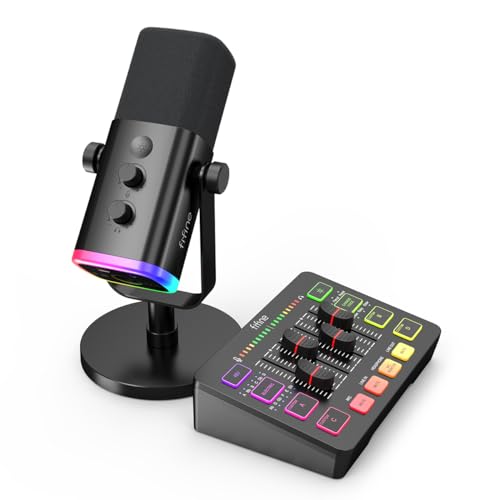

The SC8 is the most complete box the brand sells for a streamer. Its XLR port supplies 48V phantom power, so a condenser microphone works, an optical AUX input connects a console or TV, and a 3.5mm AUX input takes commentary or music. A dedicated Game/Chat knob shifts the balance between the two without opening software.
The feature list is broad and the controls stay simple. A headphone preamp helps drive demanding headsets, 7.1 surround processing and RGB lighting cater to gamers, and the mute button sits on the front. Compared with the SC3 it adds optical input, the balance knob and surround, at a higher price tier, but it still carries a single microphone input.
In use it behaves like a small hub. Decide which source feeds the optical port, set the Game/Chat balance once and mark the knob position with tape. Keep the surround processing for your own headset, since viewers hear the stream mix, and use a dynamic microphone if your room is noisy. If a console feeds the optical port, remember that the box then carries two audio worlds at once, the console and your PC, so test that both reach the stream and that neither is doubled. Over time the Game/Chat knob becomes the control you touch most, and a small pen mark beside it helps you return to a good starting balance.
What works
- 48V XLR port for condenser microphones
- Optical AUX for a console or TV
- Game/Chat balance knob
- Headphone preamp for demanding headsets
Watch out for
- One microphone input
- Surround helps you more than your audience
Spec sheet
- Mic input
- XLR with 48V phantom power
- Console audio
- Optical AUX for PS4 and TV
- Other inputs
- 3.5mm AUX in
- Balance
- Dedicated Game/Chat knob
- Extras
- 7.1ch surround, RGB, headphone preamp