
Amazon affiliate links - we earn a commission.Affiliate disclosure

Buying guide · 14 min read · Updated 2026-11-07

Best Food Label Printers (2026)

Compact thermal printers for food date, allergen and rotation labels compared on width, freezer adhesive, dissolvable labels, templates and app limits.

James MillerBy James MillerLead Machine Editor6 machines comparedSpec-sheet verified
Best Food Label Printers

At a glance

Our top picks

A food label printer is a small thermal label maker used in kitchens, bakeries, delis and meal prep. The task is simple: put a name, a date and sometimes an allergen warning on a container so food is used in order. What changes from a normal office label job is the environment of cold, damp and grease.

That puts adhesive, label material and storage temperature ahead of print quality. A label that peels in the freezer or smears in a wash defeats the purpose. Speed also matters, since a cook labels dozens of containers per shift and cannot wait on app menus.

Before you buy

6 Criteria to Look For Before Buying a Food Label Printer

  1. 01

    Freezer and fridge adhesive

    Standard label adhesive loses grip on cold, damp surfaces, and a label that peels from a frozen container defeats rotation. Look for freezer-grade rolls and press labels onto a dry surface at room temperature. The SUPVAN T50M Pro leans on waterproof tape, while the NIIMBOT B2 and B1 depend on the roll you choose. Always try one label on a frozen container before buying a full case of rolls.

  2. 02

    Label material and washability

    Dissolvable labels, as on the LLIKED printer, wash away without residue, which suits reusable containers. Permanent labels stay on until peeled. Pick based on whether you reuse containers. Dissolvable labels cost more per piece, so a high-volume kitchen may prefer permanent rolls for single-use takeout boxes.

  3. 03

    Speed of repeat printing

    A cook labels dozens of containers per shift, and every app menu adds seconds. The NIIMBOT B2's one-touch offline button reprints a saved label instantly. App-only printers such as the Ponek M100 and TYPONOS PM240 need a phone each time. Count your daily labels and pick the workflow that fits.

  4. 04

    Label size and information

    A name, a prep date, a use-by date and an allergen note need room. The Ponek M100 handles 0.78 to 2 inches and the NIIMBOT B2 handles 20 to 50 millimeters. A small round lid label may fit only a name and date. Plan your label layout first, then choose a width that fits it.

  5. 05

    Thermal fade and storage

    Direct thermal prints fade with heat and sunlight, so labels on shelves near windows lose contrast. Most models here use direct thermal at around 203 dpi. A label stored in a dark walk-in lasts longer than one in a sunny pantry. Rotate labeled stock before the print fades.

  6. 06

    Regulatory scope

    A printer prints what you type. Commercial sellers often must list ingredients, allergens, net quantity and business details, depending on local rules, and a printer does not check any of that. Verify your local requirements before selling food. For home use, a name and a date are enough.

Detailed reviews

The 6 best food label printers, explained

01
NIIMBOT B2 Bluetooth 2 inch label printer, offline button
One-touch offline print352 g weight20 to 50 mm labelsBluetooth
Check price on Amazon
Best for: Busy kitchens that reprint the same prep labels repeatedly.

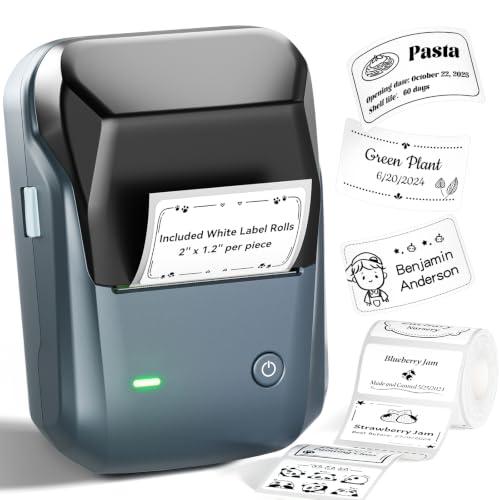
The B2 adds a one-touch offline print button, so a saved label can be reprinted without opening the app. For a kitchen that prints the same prep labels all day, that single feature saves more time than any spec on the list. It weighs 352 grams, supports label widths from 20 to 50 millimeters and prints on white, colored, round and transparent paper, which is enough variety for dated rotation labels and allergen colors.

The tradeoff is that the offline button only reprints what you stored, so new labels still need the phone. Compared with the NIIMBOT B1 in this lineup, it shares the same 2 inch class width but is lighter and quicker to repeat. Against the Ponek M100, it offers fewer templates but a faster workflow.

In ownership, the thermal head is the wear item, and food prep brings grease and flour dust. Wipe the head with isopropyl alcohol when text fades, and store rolls in a closed bin. Choose freezer-grade rolls if labels go on frozen containers.

What works

  • One-touch offline print without the app
  • Light at 352 g for a prep table
  • Prints on white, colored and clear stock
  • 20 to 50 mm width range suits containers

Watch out for

  • Offline button only reprints stored labels
  • App needed to design new labels
  • Freezer adhesive depends on the roll

Spec sheet

Offline print
One-touch button
Weight
352 g
Label width
20 to 50 mm
Paper types
White, colored, round, transparent
Connection
Bluetooth app
02
LLIKED mini portable food label printer with dissolvable labels
Dissolvable labelsRechargeableFree appMeal prep focus
Check price on Amazon
Best for: Home cooks who reuse containers and want wash-away labels.

This LLIKED model is aimed squarely at food rotation and meal prep. It prints thermal dissolvable labels that the maker says wash away cleanly, which matters when you reuse deli containers and do not want sticky residue. A free app lets you pick a template and print dates in seconds, and the mini body fits a kitchen drawer.

The tradeoff is scope. It is built for home and light commercial use rather than a high-volume deli line, and the dissolvable media costs more than a plain roll. Compared with the NIIMBOT B2, it lacks a standalone print button but gains wash-away labels.

Ownership involves keeping dissolvable labels dry before use, since moisture breaks them down early. Store the rolls sealed, charge the battery regularly and expect to wipe the head after greasy jobs. For a family that reuses glass jars and plastic tubs, the residue-free approach is the main selling point.

What works

  • Dissolvable labels leave no sticky residue
  • Free app with food-focused templates
  • Mini body fits a kitchen drawer
  • Rechargeable battery for cordless use

Watch out for

  • Dissolvable media costs more per label
  • Lower volume capacity than a prep-line printer
  • Rolls must stay dry before use

Spec sheet

Label type
Thermal dissolvable
Power
Rechargeable battery
App
Free LLIKED app
Use
Food rotation and storage
Size
Mini
03
SUPVAN T50M Pro Bluetooth label printer, 3/4 to 2 inch
3/4 to 2 in tapeWaterproof tape30+ fontsImage editing
Check price on Amazon
Best for: Bakeries and cafes that need wide labels with logos and allergens.

The T50M Pro prints on tape from three quarters of an inch to two inches wide, which gives space for a dish name, a prep date, a use-by date and an allergen note on one label. The waterproof tape handles condensation and splashes better than plain paper rolls. The app handles fonts, images and layout, so a bakery can add a logo.

The tradeoff is that its tape is continuous, not die-cut, so you set the length in the app and accept a small leader waste. Against the NIIMBOT B2, it is slower for repeat jobs but more flexible for odd containers.

Upkeep is light: clean the thermal head, keep tape dry and store spare cassettes. If you label freezer containers, run a trial label on one container first, since adhesion at low temperature varies by surface and the tape's adhesive. Treat label lifespan as something to verify with your own containers.

What works

  • Wide tape up to 2 inches for full information
  • Waterproof tape resists condensation
  • App supports images and 30+ fonts
  • Continuous tape suits odd containers

Watch out for

  • Continuous tape wastes a short leader
  • Slower than die-cut for repeat batches
  • Needs the app for each new label

Spec sheet

Tape width
3/4 to 2 in
Media
Waterproof tape
Fonts
30+
Editing
App with images
Use
Home and small business
04
TYPONOS PM240 Bluetooth label maker, 203 dpi, 3800 templates
203 dpi3800+ templates3 starter rollsInkless
Check price on Amazon
Best for: New home bakers who want ready templates and a full starter kit.

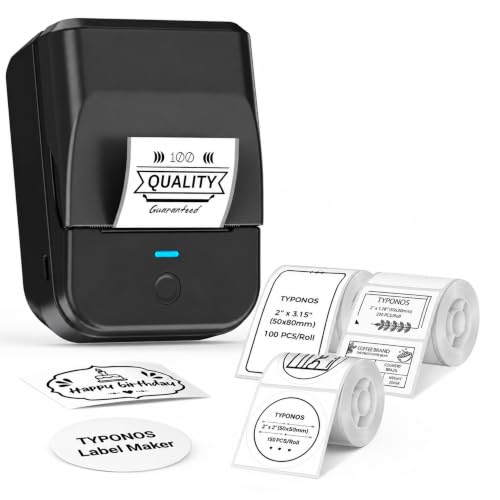
The PM240 prints at 203 dpi with an app library of more than 3800 templates, which covers date, allergen and ingredient layouts out of the box. The starter pack includes 50 by 30 millimeter labels, 50 millimeter rounds and 50 by 80 millimeter strips, which fit lids, jars and larger boxes. For someone setting up a home bakery from scratch, the templates reduce design time.

The tradeoff is ecosystem maturity. The roll supply and app are newer than the NIIMBOT range, so check the rolls you want are in stock. Compared with the Ponek M100, which also leans on templates, the PM240 gives fewer width options but a cleaner starter kit.

Ownership centers on rolls and storage. Direct thermal labels fade in heat and sunlight, so keep rolls and labeled foods away from windows. A quick head wipe keeps text crisp after greasy jobs.

What works

  • 3800+ templates cover food label layouts
  • Starter set includes round and strip rolls
  • 203 dpi is crisp for small dates
  • Inkless direct thermal printing

Watch out for

  • Newer roll supply than established brands
  • Direct thermal labels fade in sunlight
  • Needs the Labelnize app

Spec sheet

Resolution
203 dpi
Templates
3800+
Starter rolls
50x30, 50x50 round, 50x80
Print method
Direct thermal
App
Labelnize
05
Ponek M100 Bluetooth 2 inch label printer, 6000 templates
0.78 to 2 in width6000+ templates0.6 lbAndroid, iOS, PC
Check price on Amazon
Best for: Market sellers who print barcodes and varied label sizes.

The M100 prints widths from 0.78 to 2 inches, supports Android, iOS and PC software and ships with an app that offers over 6000 templates. It weighs 0.6 pounds, so it goes into a bag for a farmers market stall as easily as it sits on a counter. The barcode support helps small sellers who need product codes.

The tradeoff is that the template count is large, which can feel overwhelming when you only need a date and a name. Against the NIIMBOT B2, the M100 has PC software support but no offline print button, so each reprint needs a device.

Ownership is simple: keep rolls dry, wipe the head and update the app. If you sell food, confirm your local labeling rules and list allergens as required, since the printer only prints what you enter.

What works

  • Width range from 0.78 to 2 inches
  • 6000+ templates in the app
  • PC software support alongside phones
  • Light at 0.6 lb for market use

Watch out for

  • No standalone print button
  • Large template menu can slow selection
  • Needs a device to print each label

Spec sheet

Width range
0.78 to 2 in
Templates
6000+
Weight
0.6 lb
Platforms
Android, iOS, PC
Use
Barcode and general labels
06
NIIMBOT B1 2 inch Bluetooth label printer with auto size detect
2 inch wideAuto size detect30+ fontsRechargeable
Check price on Amazon
Best for: Buyers who want the widest roll supply in a 2 inch printer.

The B1 works with iOS and Android and auto-detects the loaded roll size, which removes the most common setup error. It offers more than 30 fonts with multilingual support and a rechargeable battery, and it prints with no ink. The die-cut roll catalog is broad, so finding a label that suits a jar lid or a takeout box is easy.

The tradeoff against the NIIMBOT B2 is workflow: the B1 has no one-touch offline reprint button, so every repeat label goes through the phone. It is also heavier to carry than the mini printers. As the established model in its range, its strength is the roll supply.

In ownership, keep a few roll sizes on hand, wipe the head and use freezer-rated rolls for cold storage. Direct thermal prints fade, so rotate labeled stock before the labels age.

What works

  • Auto-detects the loaded roll size
  • Wide catalog of die-cut rolls
  • 30+ fonts with multilingual support
  • Built-in rechargeable battery

Watch out for

  • No offline reprint button
  • Every label needs a phone
  • Direct thermal prints fade over time

Spec sheet

Max width
2 in class
Detection
Auto label size
Fonts
30+ and multilingual
Power
Built-in rechargeable
Platforms
iOS and Android

Spec sheet decoder

What the numbers on the box really mean

The specs manufacturers lead with, translated into what they tell you about real-world performance.

Direct thermal

Printing by heating special paper with no ink or ribbon. It is cheap but fades with heat and sunlight.

Watch forAll the printers here use it, so avoid sunny storage.

Die-cut roll

Pre-cut labels on a backing roll with a fixed size. They print identical labels with no trimming.

Watch forThe NIIMBOT and TYPONOS machines use them, so check your size exists.

Dissolvable label

A thermal label designed to wash off with water, leaving no residue. It suits reusable containers.

Watch forThe LLIKED printer uses them, and they must stay dry before use.

Offline printing

Printing a stored label without opening the app. It speeds up repeat jobs.

Watch forThe NIIMBOT B2 has a one-touch offline button.

DPI

Dots per inch of the print head. 203 dpi is standard for small labels.

Watch forThe PM240 prints at 203 dpi, fine for dates and names.

Methodology

How We Evaluated These Food Label Printers

Kitchen workflow

We evaluated how fast each printer produces repeat labels. The NIIMBOT B2's offline button stood out, while app-only models needed more steps. We weighed daily label counts.

Label media

We looked at what rolls each machine takes and whether they suit cold and damp use. Waterproof tape and dissolvable labels earned credit. Machines with narrow roll choices lost points.

Label size

We compared width ranges against typical container and lid sizes. The Ponek M100's 0.78 to 2 inch range and the SUPVAN T50M Pro's 3/4 to 2 inch range scored well. Fixed-width mini units scored lower.

App and templates

We checked template libraries and editing tools. The Ponek M100 offers 6000+ templates and the TYPONOS PM240 3800+. We noted that extra templates help only if you use them.

Cost and supply

We weighed printer price against roll cost and supply. Established roll catalogs, such as NIIMBOT's, scored well, while newer brands needed checking. Dissolvable labels scored lower on cost.

Decision guide

How to Choose the Right Food Label Printers

By Kitchen Type

SituationPickWhy
Busy prep lineNIIMBOT B2One-touch offline print
Home meal prepLLIKED food label printerDissolvable labels
Bakery with logosSUPVAN T50M ProWide tape and image editing
New home bakerTYPONOS PM240Templates and starter rolls
Farmers market stallPonek M100Barcodes and light body
Broad roll supplyNIIMBOT B1Large die-cut catalog

By Budget

Budget tierPickWhy
Lowest costLLIKED food label printerSimple food-focused model
Low to midTYPONOS PM240Starter rolls included
Mid rangeNIIMBOT B1Established roll supply
Mid to upperPonek M100Wide range and templates
UpperNIIMBOT B2Offline print button
HighestSUPVAN T50M ProWidest waterproof tape

Dissolvable vs Permanent Labels

Dissolvable labels

The LLIKED printer uses labels that wash off cleanly, so reused jars and tubs stay residue-free. They cost more per label and must be kept dry before use.

Permanent labels

The NIIMBOT, SUPVAN, TYPONOS and Ponek machines use standard thermal rolls that stay until peeled. They are cheaper, suit single-use packaging and work with freezer-grade options.

Dissolvable for reused containers, permanent for single-use packaging.

App vs Offline Printing

PreferencePickWhy
Reprint without a phoneNIIMBOT B2Offline button
Huge template libraryPonek M1006000+ templates
Image and logo labelsSUPVAN T50M ProApp image editing
Starter templatesTYPONOS PM2403800+ templates
Simple food templatesLLIKED food label printerFree app

For Freezer Labels Specifically

Look for

Freezer-grade adhesive, a dry application surface and a label material that stays flexible in the cold. Apply labels at room temperature and let them set before freezing. Waterproof media reduces peeling from condensation.

In this comparison

The SUPVAN T50M Pro's waterproof tape and the NIIMBOT B2's freezer-grade roll options suit cold storage best. The LLIKED dissolvable labels suit the fridge more than the freezer.

When to Spend More

Spend more if

You label dozens of containers per shift or need wide labels with logos. The NIIMBOT B2 and SUPVAN T50M Pro justify their cost in time and flexibility.

Save if

You label a few containers each week. The LLIKED or TYPONOS PM240 handles home meal prep at a lower cost.

Ownership

Maintenance schedule

The upkeep that decides whether this machine lasts two seasons or ten.

TaskIntervalWhy it matters
Swab the thermal headEvery few rollsGrease and flour dust build up on the head and fade text. Wipe it with isopropyl alcohol on a swab.
Store rolls sealedAfter each shiftHumidity weakens adhesive and dissolvable stock. Keep rolls in a closed bin away from steam.
Charge the batteryMonthlyLithium cells age when stored empty. Top up at least once a month.
Wipe the rollerEvery few monthsA sticky roller feeds labels crookedly. Clean it with alcohol and let it dry.
Update the appQuarterlyBluetooth pairing and roll detection depend on current software. Updates add new label sizes.

FAQ

Frequently Asked Questions

Which is better for food labels, die-cut or continuous tape?

Die-cut rolls suit repeat labels because every piece is pre-sized, as with the NIIMBOT B1 and B2. Continuous tape, as on the SUPVAN T50M Pro, suits odd container sizes. Pick by how uniform your containers are.

How much should I budget for a food label printer?

The printer is a small share of the cost, and rolls are the recurring expense. Dissolvable or freezer-grade rolls cost more per label than plain rolls. Count your daily labels to estimate monthly roll spend.

Will labels survive the freezer?

Only freezer-grade adhesive reliably sticks to cold, damp containers. Apply the label at room temperature to a dry surface and let it set before freezing. Test one container before ordering many rolls.

Are thermal labels food safe?

Apply labels to the outside of the container, not on food. Thermal paper is not meant for direct food contact. Check local rules if you sell food.

Do I need a barcode printer for food labels?

Only if you sell packaged goods that need scannable codes. The Ponek M100 supports barcode labels, and 203 dpi is sufficient for common codes. For rotation labels, a date is enough.

Can I print without a phone?

The NIIMBOT B2 reprints stored labels with its one-touch button. The Ponek M100 also supports PC software. The rest need a phone for every new label, so keep one charged.

Bottom line

The short version

Browse more food label printerson Amazon →
James Miller, Lead Machine Editor

About the author

James Miller

Lead Machine Editor, MachineFanatic

James Miller leads MachineFanatic's buying guides, turning spec sheets, manuals and owner feedback into clear verdicts on power tools, outdoor power equipment, shop machines and kitchen machines.

More from James →

Keep reading

Related guides