
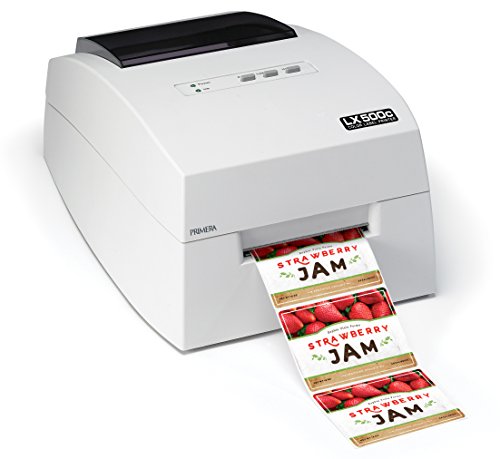


Start with the numbers that no other printer here matches: 4800 dpi, and a label area up to 4 inches wide by 24 inches long. That length is what makes it useful for tall bottle wraps, banner-style product labels and long packaging strips that a 10 inch machine would have to cut into pieces. For photographs and fine gradients, it is the benchmark in this guide.
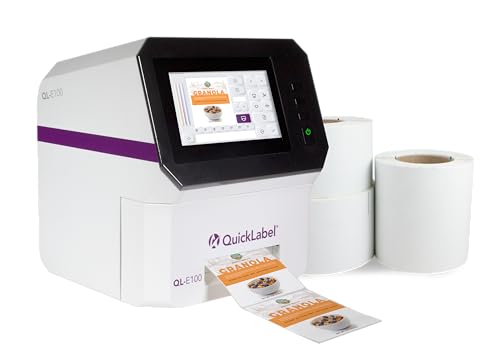
The built-in cutter trims each finished label to size, and the maker backs the machine with a one-year warranty. Against the QL-E100, the LX500 gives more length and a finer dot pitch, but it has no touchscreen or standalone memory, so it depends on a connected computer for every job. The label width tops out at 4 inches, the same limit as the Epson CW-4000.
Year-three ownership comes down to ink discipline. An inkjet that prints weekly stays healthy, and one that sits for a month needs a cleaning cycle that burns ink. Keep spare cartridges in the original packaging, match the label stock to the printer's ink type and avoid placing it near a heat source or an open window. If most of your labels are plain barcodes, the finer resolution will not show, and a cheaper machine will do the work.
What works
- 4800 dpi for smooth gradients and sharp text
- Labels up to 4 by 24 inches
- Built-in cutter for finished labels
- One-year warranty from the maker
Watch out for
- Needs a computer, no standalone mode
- Ink costs add up on frequent runs
- Slower than a production inkjet
Spec sheet
- Resolution
- 4800 dpi
- Maximum label size
- 4 inches wide, 24 inches long
- Color
- Full-color, photo-quality
- Cutter
- Built in
- Warranty
- 1 year