
Amazon affiliate links - we earn a commission.Affiliate disclosure

Buying guide · 12 min read · Updated 2026-11-18

Best Label Printers for eBay Shipping (2026)

Three 4x6 thermal printers for eBay sellers, compared on Sunday-night auction spikes, phone printing, marketplace support and keeping a label sheet legible.

James MillerBy James MillerLead Machine Editor3 machines comparedSpec-sheet verified
Best Label Printers for eBay Shipping

At a glance

Our top picks

Side by side

Spec comparison

MachineLabel sizePrint methodWirelessWired
KNAON Y41BT 4x6 Bluetooth thermal label printerBest OverallKNAON Y41BT 4x6 Bluetooth thermal label printer4x6 inch shipping labelsDirect thermal, no inkBluetooth for iOS and AndroidUSB for macOS, Windows 7 and up, ChromeOS
Arkscan 2054A 4x6 shipping label printerBest for Multi-Marketplace SellersArkscan 2054A 4x6 shipping label printer4x6 inch shipping labelsDirect thermal, no inkn/an/a
Arrvel A42BT 4x6 Bluetooth printer with standBest for Busy WeekendsArrvel A42BT 4x6 Bluetooth printer with stand4x6 inch shipping labelsDirect thermal, no inkBluetooth for iOS and AndroidUSB for Windows, ChromeOS, Linux and Mac with adapter

An eBay seller's week is lumpy. Auctions end in a cluster on the weekend, fixed-price items trickle in all week, and every sale produces a different box, a different weight and a different carrier choice. A label printer for that rhythm has to wake up instantly, accept whatever PDF the site produces, and not need a laptop nearby.

That shapes the shopping list differently from a store with a steady stream of identical orders. Paper handling for odd shipments, how a phone reaches the printer, and whether the same machine can also print an inventory sticker matter more than headline speed.

Before you buy

6 Criteria to Look For Before Buying a Label Printer for eBay Shipping

  1. 01

    Handling the auction-end spike

    eBay auctions often close on the same weekend evenings, so an hour of silence can be followed by thirty labels. At 72 labels a minute the Arrvel A42BT clears that pile in under a minute of print time, while a slower machine just leaves the seller waiting. If your sales are spread across the week, you will not feel the difference. Count how many labels you print in your busiest hour, not per day, before paying for speed. A mistake sellers make is buying for the average week and then discovering that the one hour that matters, just after a popular listing ends, is when a slow printer leaves a queue of parcels on the floor. If a bad hour costs you a late-shipment mark, a faster machine pays for itself in avoided stress.

  2. 02

    Phone against desk workflow

    The KNAON Y41BT and Arrvel A42BT both take Bluetooth from a phone, and the Arkscan 2054A takes only USB. A seller who confirms a sale on a phone while standing in the garage wants the Bluetooth route. A seller who lists from a laptop all day wants the cable. Choose by where you spend the minutes between a sale and a sealed box. Sellers who sit at a desk and use a phone for photos can mix both, using USB for the label and Bluetooth when they are at the shelf. The mistake is buying a wired-only printer and then wishing it could follow a phone into the garage, or the reverse.

  3. 03

    Label PDF scaling

    eBay labels arrive as PDFs that can be set to a thermal-friendly four-by-six page or to a letter page. If the print dialog is left on letter scaling, a label prints small and the barcode fails the scanner. Whichever printer you buy, confirm the print preview shows a full-size label before the first sale. This is the most common mistake new eBay sellers make with a thermal printer. A label that scans at the post office counter but fails at a depot sorting machine is usually one printed a few percent too small, so measure the printed label against the four-inch edge of the paper at least once.

  4. 04

    One printer for several marketplaces

    The Arkscan 2054A lists eBay, Etsy, PayPal, Shopify and Amazon seller tools on its page. A seller who lists the same stock on two sites can use one printer for both. The others print the same standard PDF, so the advantage is reassurance and an included barcode tool, not exclusive compatibility. Sellers who list on three or four sites will still use the same carrier PDF format on each, which is why the printer matters less than the habit of checking page scale. A listing that names a marketplace is a small comfort, and a long record of owners using it with that marketplace is a bigger one.

  5. 05

    Handling odd-sized parcels

    eBay items range from a coin in an envelope to a lamp in a carton. A 4x6 label sticks flat to a mailer but can wrap awkwardly around a tube. Keep a few extra label sheets and a pair of scissors nearby. A printer that feeds smoothly with partial rolls and fanfold alike is more useful than a fast one. Rolls that end mid-batch are another small nuisance, so keep a spare near the machine. Tubes and rolled posters may need the label placed on the flat end cap rather than wrapped around the curve, where the barcode can distort.

  6. 06

    Support and returns

    A used-goods seller depends on a printer that keeps working, so check the return window and warranty. The Arkscan has a longer listing history, and the Arrvel and KNAON are newer names. Whichever you buy, keep the packaging for the first month in case a pairing or calibration problem appears early. Most early failures show up in the first fifty labels, so run a decent batch before the busy season rather than after it.

Detailed reviews

The 3 best label printers for ebay shipping, explained

01
KNAON Y41BT 4x6 Bluetooth thermal label printer
4x6 direct thermalBluetooth and USBiOS AndroidLabel templates
Check price on Amazon
Best for: Sellers who list, sell and ship from a phone and want a printer that follows them to the shelf.

Think of this one as the printer for sellers who do half their work standing up. The Y41BT pairs over Bluetooth with iOS and Android devices, and a USB cable handles macOS, Windows 7 and later, and ChromeOS when you sit at a desk. An eBay seller who sells and ships from a single phone does not need a second device to produce a label.

The listing mentions a template library for self-made labels. That is useful on eBay for the small jobs around shipping, such as a return address sticker or a fragile note, and it spares the seller a separate label designer. The weakness is the pairing layer: when a phone updates its operating system, a Bluetooth link occasionally needs to be removed and added again, and the app is the only way to keep a phone-based workflow alive.

Place the printer where you pack, feed it a roll or fanfold stack square to the slot, and clean the head with alcohol after a few rolls. A quick calibration after switching stock avoids the blank-label problem that frustrates sellers who bounce between brands. Keep the cable in the drawer so a failed pairing never stops a weekend run. Another habit worth forming is printing one test label before a session, because a quiet Bluetooth failure discovered with twenty boxes waiting is far more stressful than one found with none. Eventually you will know the printer's small quirks the way you know a favorite tape gun.

What works

  • Bluetooth printing from iOS and Android phones
  • USB route for Windows, Mac and ChromeOS
  • Templates cover return and fragile labels
  • Portable enough for a spare-room workspace

Watch out for

  • Bluetooth pairing may need redoing after phone updates
  • Relies on a phone app for the mobile workflow

Spec sheet

Label size
4x6 inch shipping labels
Print method
Direct thermal, no ink
Wireless
Bluetooth for iOS and Android
Wired
USB for macOS, Windows 7 and up, ChromeOS
Extras
Built-in app templates for DIY labels
02
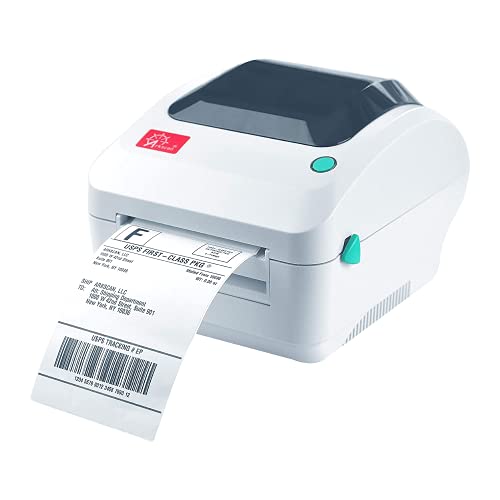
Arkscan 2054A 4x6 shipping label printer
4x6 direct thermalUSB wiredWindows Mac ChromebookNames eBay and Etsy
Check price on Amazon
Best for: Sellers on eBay and other marketplaces who work from one Windows or Mac desk.

Arkscan's listing reads like a seller's address book: eBay, PayPal, Etsy, Shopify, Amazon merchant tools and several postage services. If your inventory lives on more than one marketplace, that one printer can take every label PDF from every site. It also prints product and barcode labels, which makes it the more complete workstation machine of the three.

The wired USB link suits a listing desk where a laptop and printer share a corner. You give up the ability to print from a phone, which matters if your selling day involves moving around. The bundled BarTender UltraLite runs on Windows only, so a Mac owner gets the printer and has to rely on other software for custom labels.

Feed fanfold stacks straight from behind, and note that Chromebook support is named on the listing, which not every competitor offers. A monthly head wipe with alcohol and a check of the roller for adhesive build-up keep prints crisp. This is the printer that fades into the background of the desk, which is the highest compliment for a machine that runs on Sunday evenings. Sellers who deal in collectibles will like the product sticker capability, since the same machine can print a shelf tag for stock waiting to be listed. If you outgrow it, the habits and label stock carry over to any other 4x6 printer.

What works

  • Listing names eBay, Etsy, PayPal and Shopify
  • Also prints product and barcode labels
  • Chromebook and Android support are named
  • Wired link is dependable on busy evenings

Watch out for

  • No phone or tablet printing route
  • Bundled label designer is Windows only

Spec sheet

Label size
4x6 inch shipping labels
Print method
Direct thermal, no ink
Connection
USB
Platforms named
eBay, PayPal, Etsy, Shopify, Amazon seller tools
Software
BarTender UltraLite, Windows only
03
Arrvel A42BT 4x6 Bluetooth printer with stand
4x6 direct thermal150 mm/s72 labels a minuteBluetooth and USB
Check price on Amazon
Best for: Sellers who close many auctions at once and want the fastest clearing of the pile.

When forty auctions end within the same hour, speed stops being a luxury. The Arrvel A42BT is rated at 150 millimeters per second, or 72 labels a minute, which clears a pile of closed sales faster than either of the other two. A stand ships in the box to hold the stack in line behind the machine.

It shares the Bluetooth and USB combination with the KNAON, so phone or laptop works. Where it differs is the Mac route: an included USB-C adapter connects newer MacBooks without a hunt for a dongle. The price of that speed is a thinner record of owner feedback, since the listing is newer than the Arkscan's.

Treat the stand as part of the printer. A fanfold stack that rests on it feeds straight, and a straight feed prevents the sensor from losing its place. Clean the head with alcohol after a few rolls and recalibrate when stock changes. If you only close a handful of sales a week, this printer's speed will go unused, and a steadier desk model will suit you better. A fast head is only as good as the sticker stock, and cheap adhesive that gums the roller will slow any printer to a crawl, so run ten test labels before a full session.

What works

  • Rated at 72 labels a minute
  • Stand keeps the fanfold stack straight
  • Bluetooth plus USB offers two routes
  • USB-C adapter covers newer Macs

Watch out for

  • Newer listing with limited owner history
  • Speed is wasted on a low-volume eBay shop

Spec sheet

Label size
4x6 inch shipping labels
Print method
Direct thermal, no ink
Speed
150 mm per second, 72 labels a minute
Wireless
Bluetooth for iOS and Android
Wired
USB for Windows, ChromeOS, Linux and Mac with adapter

Spec sheet decoder

What the numbers on the box really mean

The specs manufacturers lead with, translated into what they tell you about real-world performance.

Labels per minute

Finished 4x6 labels the printer produces each minute, including feed and stop time. It is the better measure for batch days than head speed alone.

Watch forOnly the Arrvel A42BT publishes one, at 72 a minute.

Bluetooth versus USB

Bluetooth lets a phone send labels over a short radio link, while USB is a wired link to a computer. A wired link rarely drops mid-print.

Watch forThe KNAON and Arrvel offer both, and the Arkscan offers USB only.

Fanfold stack

A folded block of perforated labels that feeds from behind the printer instead of from a roll. It is cheaper per label and suits rear-feed machines.

Watch forThe Arrvel's stand is designed to support this kind of stock.

Page scaling

How the PDF is fitted to the paper size in the print dialog. Wrong scaling shrinks the label and its barcode.

Watch forPreview every new label type before the first parcel.

Direct thermal

A heated head marks heat-sensitive paper, so there is no ink or toner. Labels fade with long exposure to heat.

Watch forDo not leave printed labels in a hot car before shipping.

Methodology

How We Evaluated These Label Printers for eBay Shipping

Fit with eBay selling rhythm

We considered how each printer copes with spiky weekend demand versus a steady trickle. The Arrvel A42BT's 72-label-a-minute rating suits spikes, and the Arkscan suits a steady desk. Phone access counted heavily for sellers who ship from a shelf.

Platform and OS support

We read each listing for operating system and platform statements. The Arkscan names eBay, Etsy, PayPal and Shopify, and also Chromebook. The KNAON names iOS and Android, and the Arrvel adds Linux.

Connection routes

A printer with two routes has a fallback when one fails. The KNAON and Arrvel each offer Bluetooth and USB, and the Arkscan offers USB only. We weighed redundancy above feature count.

Label handling

All three print 4x6 direct thermal. We looked at fanfold and roll feed, the stand supplied with the Arrvel, and how forgiving each design is toward different stock. Owner feedback patterns on jams informed the scoring.

Ownership over a year

Cleaning, calibration, app updates and cable care were compared. A wired desk printer asks for the least, and a Bluetooth printer asks for a little more attention to pairing. Newer brands lose a little for thin history, and we noted that a seller who prints a few labels a week will care more about simplicity than any other trait.

Decision guide

How to Choose the Right Label Printers for eBay Shipping

By Selling Style

SituationPickWhy
Sell and ship from a phoneKNAON Y41BTBluetooth printing from iOS and Android.
List from a Windows or Mac deskArkscan 2054AWired and names the main marketplaces.
Close dozens of auctions at onceArrvel A42BT72 labels a minute and a stack stand.
Chromebook listing deskArkscan 2054AChromebook support is on the listing.

By Budget

TierPickWhy
Lower tier for occasional sellersKNAON Y41BTCovers phone and computer with one cable.
Middle tier for desk sellersArkscan 2054AEstablished name with product label support.
Higher tier for volumeArrvel A42BTSpeed rating pays off when sales cluster.

Phone vs Desktop Printing

Phone printing

The KNAON Y41BT and Arrvel A42BT send labels from a phone app by Bluetooth. This suits sellers who confirm a sale away from a computer. It adds a pairing step and app dependence.

Desktop printing

The Arkscan 2054A prints from a computer over USB. It suits sellers with a fixed listing desk. It cannot print from a phone.

Choose phone if you ship from a shelf, desktop if you ship from the desk.

Occasional vs Regular Sellers

VolumePickWhy
A few labels a weekKNAON Y41BTLight use rewards a simple portable unit.
Daily labels from one deskArkscan 2054ASteady wired work.
Weekend rushArrvel A42BTQuicker pile clearing.

For Fragile Items Specifically

Look for

A printer that also makes small stickers so you can print a fragile or this-side-up note. Check that the app has a template tool.

In this comparison

The KNAON Y41BT lists a template library, and the Arkscan 2054A bundles BarTender UltraLite on Windows, so both can print extra stickers.

When to Spend More

Spend more if

Your sales cluster at weekends or you list across several marketplaces. The Arrvel A42BT and Arkscan 2054A each address one of those.

Save if

You ship a few parcels a week from a phone. The KNAON Y41BT is enough.

Ownership

Maintenance schedule

The upkeep that decides whether this machine lasts two seasons or ten.

TaskIntervalWhy it matters
Wipe the print headEvery few rollsAdhesive and dust cause pale stripes across a barcode. A swab with isopropyl alcohol clears them.
Recalibrate for new stockWhenever you change label brandThe sensor learns the gap between labels. Skipping this wastes labels on blank feeds.
Re-pair Bluetooth after phone updatesAs neededSystem updates can drop saved pairings. Removing and re-adding the printer usually fixes it.
Keep labels out of heatOngoingDirect thermal paper darkens in warm cars and windows. Store rolls in a closed box.
Check the USB cableMonthlyA tired cable gives intermittent prints that look like printer faults. Replace it before blaming the machine, and avoid bending it tightly behind a shelf.

FAQ

Frequently Asked Questions

Which printer works best with eBay labels?

Any 4x6 direct thermal printer prints eBay's label PDF. The KNAON suits phone selling, the Arkscan suits a desk, and the Arrvel suits big batches. Check that the print dialog is set to a four-by-six page. After that the choice is about how you work, not about label quality, because every one of the three prints the same carrier PDF with the same heat-based method.

Do I need a printer for eBay if I only sell occasionally?

Not if you ship fewer than five parcels a month. A shop or library can print a PDF label. Once you ship weekly, a thermal printer saves enough time to be worth owning.

How do I print an eBay label from my phone?

Use a Bluetooth printer such as the KNAON Y41BT or Arrvel A42BT and the maker's app. The label PDF is shared to that app and sent to the printer. Keep a USB cable as backup in case pairing fails. Some sellers find it quicker to save the PDF to a phone first and then share it to the app, which avoids the browser's print dialog altogether.

Why does my label print too small?

The page scaling is probably set to fit a letter sheet. Change the print preview to a four-by-six page and check that the barcode is full width before applying the label.

Can the same printer make return labels?

Yes, a return label is another PDF of the same size. The printer treats it exactly like an outgoing label. Keep a few spare labels in the drawer for returns. Buyers sometimes ask for a prepaid label by message, and being able to print one in seconds is a small service that tends to win repeat customers.

How long do thermal labels last on a parcel?

They stay legible for the journey if kept out of heat and sun before shipping. They are not meant for permanent labelling, so use thermal transfer stock for anything that must last months.

Bottom line

The short version

Browse more label printers for ebay shippingon Amazon →
James Miller, Lead Machine Editor

About the author

James Miller

Lead Machine Editor, MachineFanatic

James Miller leads MachineFanatic's buying guides, turning spec sheets, manuals and owner feedback into clear verdicts on power tools, outdoor power equipment, shop machines and kitchen machines.

More from James →

Keep reading

Related guides