

Amazon affiliate links - we earn a commission.Affiliate disclosure

Buying guide · 12 min read · Updated 2026-11-07

Best Printers for Remote Workers (2026)

Six home office printers for remote workers, from Brother laser all-in-ones to HP and Epson inkjets, with advice on duplex, scanning and running cost.

James MillerBy James MillerLead Machine Editor6 machines comparedSpec-sheet verified
Best Printers for Remote Workers

At a glance

Our top picks

Side by side

Spec comparison

MachineTypeFunctionsBest useDuplex
Brother MFC-L2820DW Wireless Monochrome All-in-One Laser with FaxBest OverallBrother MFC-L2820DW Wireless Monochrome All-in-One Laser with FaxMonochrome laser MFPPrint, copy, scan, faxSmall office and home officen/a
Brother DCP-L2640DW Wireless Monochrome Multifunction LaserBest ValueBrother DCP-L2640DW Wireless Monochrome Multifunction LaserMonochrome laser MFPPrint, copy, scanHome officeYes
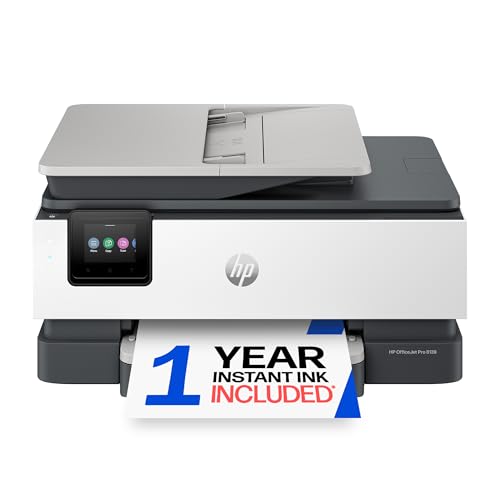
HP OfficeJet Pro 8139 Wireless Color All-in-One with ADF and DuplexBest Color All-in-OneHP OfficeJet Pro 8139 Wireless Color All-in-One with ADF and DuplexColor inkjet MFPn/aColor documents at homen/a
Epson Workforce Pro WF-4920 Wireless All-in-One 35-Page ADFBest Pigment InkjetEpson Workforce Pro WF-4920 Wireless All-in-One 35-Page ADFOffice inkjet MFPn/aBusy home officeAutomatic
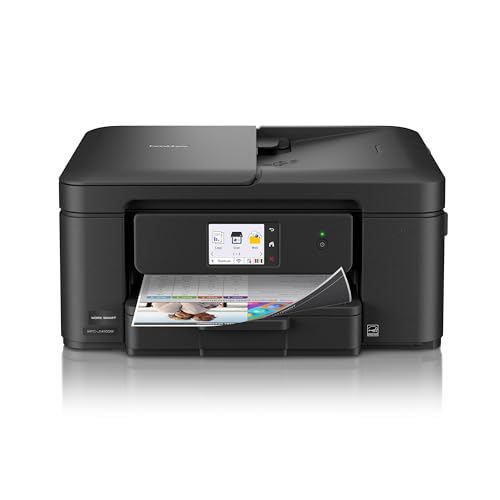
Brother Work Smart 1410 Wireless Color Inkjet with Touchscreen and DuplexBest Touchscreen InkjetBrother Work Smart 1410 Wireless Color Inkjet with Touchscreen and DuplexColor inkjet MFPn/aHome and small officeAutomatic
Epson EcoTank ET-2800 Wireless Color All-in-One SupertankBest Ink EconomyEpson EcoTank ET-2800 Wireless Color All-in-One SupertankInk tank all-in-onePrint, scan, copyLight to moderate home usen/a

A home office printer does a different job from a family printer. A remote worker prints contracts, signs and scans forms, and sends the occasional shipping label, usually in short bursts separated by long idle spells, and needs the machine to start without a fight when a deadline hits.

That pattern favors reliability and low idle maintenance over photo quality. Duplex printing, a document feeder, a secure network connection and a modest running cost matter more than color gamut, and the choice between laser and inkjet comes down to how much color you truly need.

Before you buy

6 Criteria to Look For Before Buying a Printer for Remote Workers

  1. 01

    Laser versus inkjet for documents

    Lasers like the Brother MFC-L2820DW print crisp black text at up to 36 ppm and tolerate long idle spells because dry toner does not clog. Inkjets such as the HP OfficeJet Pro 8139 add color but need regular use. If more than 80 percent of your printing is black text, a laser is the practical choice.

  2. 02

    Duplex and document feeder

    Remote workers print and scan multi-page contracts, so duplex and a feeder save real time. The MFC-L2820DW, HP 8139, Epson WF-4920 and Brother 1410 include both. A feeder of 20 to 50 sheets, like the Brother 1410 or Epson WF-4935, handles most household paperwork.

  3. 03

    Network and security

    A home printer on a work-adjacent network is a risk if it is unmanaged. Dual-band Wi-Fi, WPA2 or better and firmware updates matter, and the Brother MFC-L2820DW supports 2.4 and 5 GHz. Give it a fixed address and turn off features you do not use.

  4. 04

    Cost per page

    Toner printers cost far less per black page than cartridge inkjets, while the ink tank Epson ET-2800 is cheapest for color. Compare the replacement yield, not the starter cartridge. For heavy printing, a laser or a tank beats a cartridge inkjet.

  5. 05

    Idle behavior

    Remote work prints in bursts, with gaps of days or weeks. Laser toner survives gaps and inkjets can clog. If you print weekly, either type is fine, but if you print monthly, favor a laser.

  6. 06

    Subscription ink plans

    HP's Instant Ink and similar plans bundle ink by page count and can lock the printer to the plan. They can save money for regular printers, but read the cancellation and cartridge terms before you enroll, since an unsubscribed printer may stop accepting normal cartridges.

Detailed reviews

The 6 best printers for remote workers, explained

01
Brother MFC-L2820DW Wireless Monochrome All-in-One Laser with Fax
Mono laserDuplexDual-band Wi-FiUp to 36 ppm
Check price on Amazon
Best for: Remote workers who print documents, scan paperwork and want low upkeep.

The MFC-L2820DW is a compact monochrome laser all-in-one with automatic duplex, a document feeder, fax and dual-band Wi-Fi. Printing is rated up to 36 pages per minute, so a long contract or a stack of reports finishes quickly, and the dry toner does not clog during idle weeks, which suits irregular remote work.

The tradeoff is black and white only. If you present color charts, you will need a separate route, whether an inkjet or a print service. Against the DCP-L2640DW, the MFC adds fax, which most remote workers rarely use but some legal and medical forms still demand.

Ownership is light. Toner lasts for thousands of pages at typical coverage, the drum and toner are separate parts in many Brother designs, and the printer can sit idle through a vacation and print on the first try afterward. Give it a fixed IP address or reserve one on your router, and keep the paper tray sealed against humidity so duplex stays reliable. A well-placed spot near the router also improves the wireless link. In daily use, the first page out of a cold laser takes a few seconds longer than an inkjet, but a sleeping unit wakes quickly enough for a video call break. If you share a desk with the machine, note that the fuser makes some warm-up noise, so place it at arm's length rather than beside the monitor, and give it clearance at the back for the duplex path.

What works

  • Duplex and feeder for document work
  • Dual-band Wi-Fi for stable connection
  • Dry toner survives long idle periods
  • Fax built in for legacy forms

Watch out for

  • Black and white only
  • Larger than a basic inkjet
  • Toner and drum cost when replaced

Spec sheet

Type
Monochrome laser MFP
Speed
Up to 36 ppm
Wireless
Dual-band 2.4 and 5 GHz
Functions
Print, copy, scan, fax
Best use
Small office and home office
02
Brother DCP-L2640DW Wireless Monochrome Multifunction Laser
Mono laserUp to 36 ppmDuplexScan/copy
Check price on Amazon
Best for: Remote workers who want laser documents without paying for fax.

The DCP-L2640DW covers the same ground as the MFC-L2820DW without the fax, and the rated speed is up to 36 ppm. It prints, copies and scans, with automatic duplex and mobile printing, and the footprint is a little friendlier for a shared desk.

It is the better buy for someone who never touches a fax line. You trade that feature for a lower cost, and for most remote work the loss is invisible. Compared with an inkjet, you give up color and gain consistent black output.

In ownership, treat it like an appliance: leave it on the network, let it sleep, and replace toner when prompted. Make sure your router assigns it a stable address so the work laptop does not lose the connection each morning, and store spare toner in a cool cupboard so heat does not affect it. Because it skips fax, the control panel is slightly simpler, and the menus stay short, which suits someone who prints only when a deadline lands. It does not replace a good scanner app on your phone for single receipts, but for a signed contract with ten pages, the feeder is faster than anything a phone camera can do and gives straighter pages.

What works

  • Up to 36 ppm for documents
  • Duplex printing included
  • Scan and copy for paperwork
  • Low idle maintenance

Watch out for

  • Black and white only
  • No fax
  • No separate color option

Spec sheet

Type
Monochrome laser MFP
Speed
Up to 36 ppm
Duplex
Yes
Functions
Print, copy, scan
Best use
Home office
03
HP OfficeJet Pro 8139 Wireless Color All-in-One with ADF and Duplex
Color inkjetADFDuplex225-sheet tray
Check price on Amazon
Best for: Remote workers who need color documents and a feeder.

The OfficeJet Pro 8139 is a color inkjet all-in-one with automatic duplex, a document feeder, fax and a 225-sheet input tray. It suits a remote worker who prints proposals, charts and presentations in color and also scans paperwork.

The compromise is ink. HP promotes a subscription plan that bundles ink by page count, and while it can lower cost for regular printers, it ties the printer to the plan, so read the terms before enrolling. Next to the Brother lasers, a cartridge inkjet costs more per black page and needs regular use to avoid drying.

Plan to print a page weekly, keep spare cartridges, and register the printer with HP's app for firmware updates. The larger tray means fewer reloads during a long document run, and the compact body fits a home office shelf if you leave room for the output tray. If you work with clients who expect color proposals, the ability to print a sales deck on the spot is a real selling point, and the duplex path makes a double-sided handout look finished. Budget for ink as a running expense and compare the XL yield before buying, because the starter cartridges that ship in the box are usually only partly filled.

What works

  • Color printing for charts and slides
  • 225-sheet input tray
  • Duplex and ADF included
  • Fax for legacy forms

Watch out for

  • Ink plan can lock you in
  • Cartridge ink costs more per page
  • Needs regular use

Spec sheet

Type
Color inkjet MFP
Tray
225 sheets
Features
ADF, duplex, fax
Ink plan
Instant Ink trial
Best use
Color documents at home
04
Epson Workforce Pro WF-4920 Wireless All-in-One 35-Page ADF
Pigment ink35-page ADFDuplexFax
Check price on Amazon
Best for: Remote workers who want color documents with smear resistant ink.

The WF-4920 is an office-grade inkjet using PrecisionCore heat-free technology and pigment ink that dries instantly and resists smearing. It adds a 35-page feeder, automatic duplex and fax, and rates fast for an inkjet.

Its compromise is the same as the HP: cartridges cost more per page than toner, and the machine needs regular use. Against the Brother lasers, you gain color and lose the idle forgiveness of dry toner.

Plan on keeping spare ink, printing weekly and giving it room to open the feeder and tray. Pigment ink prints stay legible if a page gets damp, which helps for contracts and invoices that get handled and carried around. The feeder is large enough that a ten page signed agreement scans in one pass, and the fax and duplex save a trip to a copy shop. It is physically bigger than the compact Brothers, so measure the shelf and leave room to open the document feeder cover without bumping the wall.

What works

  • Pigment ink resists smear and water
  • 35-page document feeder
  • Duplex and fax included
  • Fast output for an inkjet

Watch out for

  • Cartridge cost per page
  • Needs regular use
  • Bulkier than a basic inkjet

Spec sheet

Type
Office inkjet MFP
Ink
DURABrite Ultra pigment
Feeder
35 pages
Duplex
Automatic
Best use
Busy home office
05
Brother Work Smart 1410 Wireless Color Inkjet with Touchscreen and Duplex
Color inkjet2.7 inch touchscreenDuplex20-sheet ADF
Check price on Amazon
Best for: Remote workers who scan to cloud folders and print occasional color.

The Work Smart 1410 is a compact color inkjet with a 2.7 inch touchscreen, automatic duplex and a 20-sheet document feeder, plus cloud app connections for scanning to services such as Google Drive. For a remote worker who files scans straight to the cloud, that path is smooth.

It costs less than the larger office inkjets but still uses cartridges, so it suits moderate volumes rather than heavy printing. Compared with the Epson WF-4920, the feeder is smaller and the speed lower.

Keep the cartridges fresh by printing weekly, avoid overloading the feeder, and place the printer where the touchscreen is easy to reach. The touchscreen simplifies scanning to a folder without a computer, which helps when you work from a laptop that sleeps most of the day. It also supports printing from a phone, so a boarding pass or a form received by email can be printed without opening a laptop. For a person who prints twenty or thirty pages a week, the balance of size, features and cost is hard to fault, though it will not keep up with a busy small office.

What works

  • Touchscreen for simple scanning
  • Duplex and 20-sheet ADF
  • Cloud app connections
  • Compact home office size

Watch out for

  • Cartridge ink cost
  • Smaller feeder than office models
  • Lower speed than lasers

Spec sheet

Type
Color inkjet MFP
Screen
2.7 inch touchscreen
Feeder
20 sheets
Duplex
Automatic
Best use
Home and small office
06
Epson EcoTank ET-2800 Wireless Color All-in-One Supertank
Ink tankWirelessPrint/scan/copyCartridge-free
Check price on Amazon
Best for: Light to moderate home office printing at low ink cost.

The ET-2800 is a refillable ink tank printer that prints, scans and copies over Wi-Fi. For a remote worker who prints modest volumes in color and black, the tank design keeps ink cost low compared with cartridge machines.

It lacks duplex and a document feeder, which is the limit of its use as a work machine. Against the Brother lasers, it is slower for long documents but cheaper in color.

Fill tanks carefully, print regularly to keep the printhead clear, and keep the box somewhere dust free. It fits a person who prints now and then and wants to avoid cartridge refills, though it will not keep up with a heavy document load. It has the smallest feature set here, so treat it as a color and photo helper for a home office that already owns, or plans to own, a fast document printer. Pairing it with a cheap laser is a sensible two-machine setup for anyone who prints both color flyers and daily paperwork.

What works

  • Refillable tanks keep cost low
  • Color and black in one machine
  • Wireless setup
  • Small desk footprint

Watch out for

  • No duplex
  • No document feeder
  • Slower for long jobs

Spec sheet

Type
Ink tank all-in-one
Functions
Print, scan, copy
Ink
Refillable bottles
Wireless
Yes
Best use
Light to moderate home use

Spec sheet decoder

What the numbers on the box really mean

The specs manufacturers lead with, translated into what they tell you about real-world performance.

Pages per minute (ppm)

The rated speed for plain pages under test conditions. Real jobs run slower with duplex or complex graphics.

Watch forThe Brother MFC-L2820DW and DCP-L2640DW are rated up to 36 ppm.

Dual-band Wi-Fi

Support for 2.4 GHz and 5 GHz networks. The 5 GHz band is faster and less crowded.

Watch forThe MFC-L2820DW has dual-band, and many cheaper printers are 2.4 GHz only.

ADF capacity

The number of pages the document feeder holds, which sets how large a scan stack can be.

Watch forThe Brother 1410 holds 20, and the Epson WF-4920 holds 35.

Pigment ink

Ink with solid particles that sit on paper and resist smear and water.

Watch forThe Epson WF-4920 uses DURABrite Ultra pigment ink.

Duplex

Automatic two-sided printing, which halves paper use for long documents.

Watch forThe Epson ET-2800 lacks it, while the Brother lasers include it.

Methodology

How We Evaluated These Printers for Remote Workers

Document handling

We evaluated duplex, feeder capacity and scan options, since remote workers handle paperwork daily. The Brother MFC-L2820DW and Epson WF-4920 ranked highest. This follows the spec sheet.

Idle reliability

We considered how well each design handles long gaps between jobs. Laser toner scored highest, and inkjets scored lower. Owner feedback patterns often cite clogged nozzles after quiet weeks.

Running cost

We compared toner, cartridge and tank economics. The Epson ET-2800 led on color, and the Brother lasers led on black pages. Subscription plans were noted as a risk.

Connectivity and security

We weighed Wi-Fi bands and update support. The dual-band Brother MFC-L2820DW scored well. We also noted that unmanaged printers can be a weak point on home networks.

Footprint and noise

We compared size, since the printer shares a work desk. Compact Brother and Epson models scored well, and bigger office inkjets lower.

Decision guide

How to Choose the Right Printers for Remote Workers

By Work Type

SituationPickWhy
Mostly black documents and contractsBrother MFC-L2820DWDuplex, feeder, dual-band Wi-Fi
Documents without faxBrother DCP-L2640DWSame speed, lower cost
Color slides and chartsHP OfficeJet Pro 8139Color with a feeder
Smear resistant colorEpson Workforce Pro WF-4920Pigment ink
Scan to cloud foldersBrother Work Smart 1410Touchscreen and cloud apps

By Budget

TierPickWhy
LowestEpson EcoTank ET-2800Entry tank
LowBrother Work Smart 1410Compact color inkjet
MiddleBrother DCP-L2640DWMono laser MFP
Upper middleBrother MFC-L2820DWLaser with fax
HighHP OfficeJet Pro 8139Color office features
HighestEpson Workforce Pro WF-4920Pigment office inkjet

Laser vs Inkjet

Laser

The Brother MFC-L2820DW and DCP-L2640DW print black text quickly, survive idle weeks and cost little per page. They cannot print color.

Inkjet

The HP 8139, Epson WF-4920 and Brother 1410 print color and handle photos. They need regular use and cost more per page.

Mostly black text goes to a laser, color needs go to an inkjet.

Scanning Priority

PreferencePickWhy
Large scan stacksEpson Workforce Pro WF-492035-page feeder
Cloud scanningBrother Work Smart 1410Cloud app connections
Basic scansEpson EcoTank ET-2800Glass flatbed
Duplex scans and faxBrother MFC-L2820DWFeeder and fax

For Contracts Specifically

Look for

Look for sharp black text, duplex, a feeder for signed pages, and ink or toner that survives long gaps. Pigment ink or laser toner resists smear.

In this comparison

The Brother MFC-L2820DW leads, with the Epson WF-4920 as the best color alternative.

When to Spend More

Spend more if

Step up if you print daily or need color charts and a bigger feeder, which points to the HP 8139 or Epson WF-4920.

Save if

Save if you print occasionally, where the Epson ET-2800 or Brother DCP-L2640DW is enough.

Ownership

Maintenance schedule

The upkeep that decides whether this machine lasts two seasons or ten.

TaskIntervalWhy it matters
Update firmwareEvery few monthsUpdates patch network issues and add features. Keep the printer off unsecured guest networks.
Run a short print on inkjetsEvery weekIdle nozzles dry out. A weekly page keeps ink flowing.
Replace toner or inkOn low warningsRunning dry mid-deadline is avoidable. Keep a spare.
Clean pickup rollersEvery few monthsDust reduces grip and causes jams. A damp lint-free cloth restores feeding.
Store paper sealedAlwaysHumid paper jams in duplex. Keep reams sealed until needed and loaded flat, since a damp or curled ream is the quickest way to get duplex jams in the middle of a deadline.

FAQ

Frequently Asked Questions

Is a laser or inkjet better for remote work?

A laser such as the Brother MFC-L2820DW is better for black documents and long idle periods. An inkjet like the HP 8139 is better if you need color.

Do I need a fax?

Rarely, but some legal and medical forms still require it. The MFC-L2820DW includes fax, and the DCP-L2640DW saves money without it.

Should I use an ink subscription?

It can lower cost for regular printers, but it may lock the printer to the plan. Read the terms before enrolling.

How do I secure a home printer?

Use WPA2 or better, update firmware, assign a fixed address and disable unused services. Dual-band models are easier to keep on a stable network.

Is duplex worth it?

Yes, for contracts and reports. It cuts paper and makes stapled packets easier to handle.

Can I print from my work laptop?

Yes, usually through the standard driver or a mobile app. Install the printer driver once, and keep the laptop on the same network. If your employer uses a VPN, the printer may disappear while it is connected, so print before connecting or allow local network access in the VPN settings.

Bottom line

The short version

Browse more printers for remote workerson Amazon →
James Miller, Lead Machine Editor

About the author

James Miller

Lead Machine Editor, MachineFanatic

James Miller leads MachineFanatic's buying guides, turning spec sheets, manuals and owner feedback into clear verdicts on power tools, outdoor power equipment, shop machines and kitchen machines.

More from James →

Keep reading

Related guides