
Amazon affiliate links - we earn a commission.Affiliate disclosure

Buying guide · 14 min read · Updated 2026-11-07

Best Vinyl Cutting Machines (2026)

Seven vinyl cutters compared by cut width, blade and force control, software and material range, from craft cutters to wide-format plotters for signs.

James MillerBy James MillerLead Machine Editor7 machines comparedSpec-sheet verified
Best Vinyl Cutting Machines

At a glance

Our top picks

A vinyl cutter drives a small blade along a path from a digital file, cutting the film but not the paper carrier beneath it. Everything that matters follows from three things: how wide a sheet it takes, how well it controls blade force and speed, and how pleasant the software is.

Craft cutters use a sticky mat and a bed a foot wide, which suits stickers, labels and iron-on designs. Plotters feed vinyl from a roll between pinch rollers, which suits long signs and vehicle lettering, but need a stand, a computer and more patience to set up.

Before you buy

6 Criteria to Look For Before Buying a Vinyl Cutting Machine

  1. 01

    Cut width

    Width limits project size. The Cricut Explore 5 and Maker 4 cut a 12 inch bed, the VEVOR 28 inch cuts 24.8 inches and the USCutter cuts 30 inches. Buy for the largest single piece you plan to cut, not the average. A plotter's cutting width is smaller than its feed width because the pinch rollers need a margin on each edge, so read both numbers, and subtract a further inch or two for registration margins. For a 24 inch sign you want a plotter whose cutting width is comfortably larger than 24 inches, which points to the USCutter's 30 inch cut.

  2. 02

    Mat versus roll feed

    Craft cutters use a sticky mat that supports the material. Plotters feed from a roll through pinch rollers, which allows long cuts. Mats limit length, rolls limit flexibility for small pieces.

  3. 03

    Blade and force control

    Force is the downward pressure on the blade in grams. The VEVOR plotters list adjustable force, and the Brother ScanNCut uses an automatic blade holder. Test cuts on each material are the reliable way to set it. Light materials such as regular sign vinyl and iron-on need little force, while reflective sheeting, magnet sheet and thick film need much more, and a blade that is too dull can look like a force problem. A standard blade angle of 45 degrees suits most vinyl, and thinner films sometimes use a sharper 30 degree blade, but blades are not universally interchangeable between brands.

  4. 04

    Software

    Cricut uses Design Space, Brother uses its own software, the plotters use Signmaster and VinylMaster. The software is half the experience. Check that it works on your computer and that files are portable.

  5. 05

    Print Then Cut

    The Cricut Joy Xtra and Likcut S41 support print-then-cut, which prints a design on an inkjet and cuts around it. It is the feature that makes sticker businesses possible.

  6. 06

    Material range

    The Explore 5 lists 100 plus materials and the Joy Xtra lists 50 plus. Plotters cut vinyl and thin films but not thick craft materials. Match the machine to what you will cut.

Detailed reviews

The 7 best vinyl cutting machines, explained

01
Cricut Explore 5, 12 inch cutter, 100+ materials
12 inch bed100+ materialsVinyl and iron-onBundle
Check price on Amazon
Best for: Crafters cutting vinyl, iron-on and paper at home.

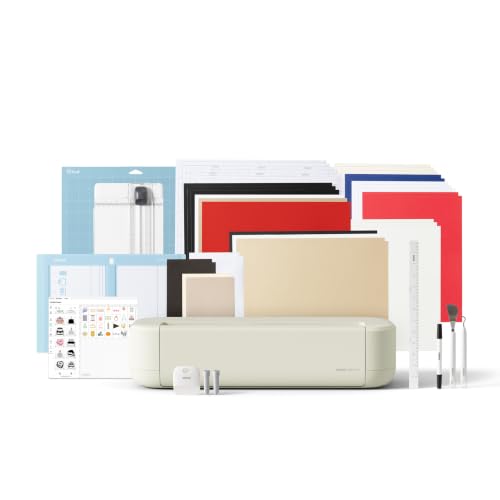
The Explore 5 is the newest generation of Cricut's Explore line, with a 12 inch cutting bed and support for more than 100 materials including vinyl, iron-on, cardstock and printable stock. The Essential Bundle adds supplies for dozens of projects, so the first weekend is productive without separate shopping.

The real strength is the workflow: Design Space software, a large content library and a machine that sets blade pressure from material choices rather than asking you to guess in grams. Compared with the Cricut Joy Xtra it handles a full 12 inch width, so a standard sheet of adhesive vinyl or a bigger iron-on design fits in one pass.

Use it with a clean cutting mat that has enough tack, change the blade when edges tear and keep the rollers free of vinyl dust. Weed carefully with a hook tool and use transfer tape rather than your fingers, since oils weaken adhesive. The machine is happiest with sheets and short rolls rather than very large jobs. Before cutting a real design, run a small test shape in the same vinyl to confirm the blade depth: the knife should cut through the film and leave the backing intact, so that weeding does not peel the backing away from the decal. Mirror your design before cutting iron-on material, and always cut it with the shiny carrier side down.

What works

  • Twelve inch bed fits standard vinyl sheets
  • Cuts more than 100 materials
  • Software sets blade pressure from material choice
  • Bundle includes supplies for first projects

Watch out for

  • Requires Cricut software and an account
  • Not suited to roll feeding for long signs

Spec sheet

Type
Craft cutter
Width
12 inches (30.5 cm)
Materials
100+ including vinyl, iron-on, cardstock
Generation
Newest Explore
Bundle
Essential bundle with supplies
02
Cricut Maker 4 beginner bundle with vinyl and iron-on
Maker classVinyl and iron-onBeginner bundleDesign Space
Check price on Amazon
Best for: Crafters who expect to expand beyond vinyl.

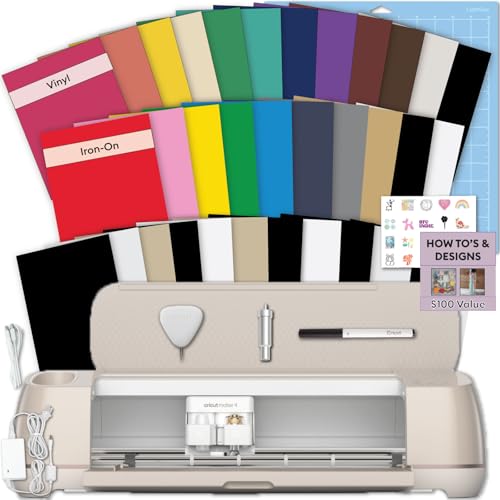
The Maker 4 beginner bundle is the premium craft option in this guide. It includes adhesive vinyl and heat transfer vinyl so a newcomer can make decals, stickers and shirt designs from the first session, and it runs on Design Space with instructional guides.

Compared with the Explore 5 it sits higher in the price tiers, and the extra cost buys a machine in the Maker class, which Cricut positions for a wider range of materials. If your projects are mostly vinyl and cardstock, the Explore 5 is enough, and the Maker 4 is for people who expect to branch into fabric and thicker material.

Craft cutters need a flat table and clear space for the mat to travel. Keep the housing free of dust, store the mats covered and replace a mat when it loses tack. Back up your designs in the app, because the software is part of the machine. If you plan to cut thicker material such as leather or thin wood, check the maker's list of supported blades and the maximum thickness, since the machine class sets the ceiling. A premium craft cutter pays off when you move beyond vinyl, and it is a poor buy for someone who will only ever cut adhesive vinyl and cardstock.

What works

  • Beginner bundle includes vinyl and iron-on
  • Maker-class machine for a wider material range
  • Guided software for first-time users
  • Same Design Space workflow as other Cricut models

Watch out for

  • Upper price tier compared with other craft cutters
  • Software dependence

Spec sheet

Type
Craft cutter, Maker class
Bundle
Adhesive vinyl and heat transfer vinyl
Software
Cricut Design Space
Audience
First-time users
Position
Upper price tier
03
Cricut Joy Xtra smart cutting machine, 50+ materials
50+ materialsPrint Then CutCompactBundle
Check price on Amazon
Best for: Beginners making labels, cards and small decals.

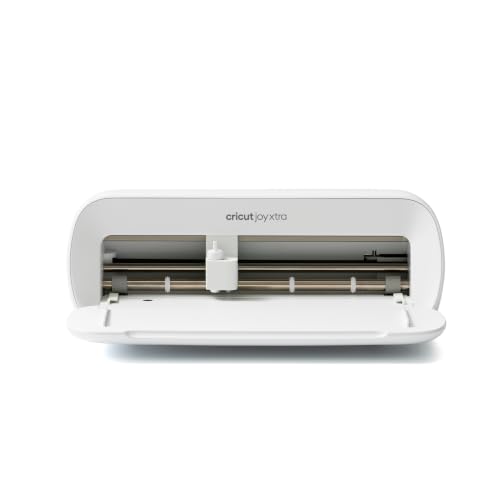
The Joy Xtra is Cricut's compact machine, sized for desks and small rooms. It works with more than 50 materials, including vinyl, iron-on HTV and cardstock, and supports Print Then Cut for full-color stickers with a home inkjet printer.

Being compact is the trade: it is lighter than the Explore 5 and takes up less space, but the cut area is smaller, so large designs need to be split. The bundle includes a fine-point blade, a fine-point pen and a mini weeder, which covers the basics.

A Joy-class machine suits labels, cards and small decals. Keep the blade clean, use a mat only where the material needs one and plan designs within the narrower width. If you find yourself tiling designs often, move up to a 12 inch machine. Print Then Cut needs a clean printed sheet with registration marks, so use plain white sticker paper, keep the marks unobstructed and avoid dark backgrounds near them. Calibrate the sensor if cuts drift off the printed outline, and always check the edge by cutting a single test sticker before running a full sheet of a design you plan to sell.

What works

  • Lowest price tier among Cricut models here
  • Compact enough for a small desk
  • Print Then Cut for full-color stickers
  • Fine-point blade, pen and weeder included

Watch out for

  • Smaller cut width than the 12 inch machines
  • Fewer supported materials than larger Cricuts

Spec sheet

Type
Compact craft cutter
Materials
50+ including vinyl, iron-on and cardstock
Feature
Print Then Cut with an inkjet printer
Includes
Fine-point blade, pen, weeder
Position
Lowest price tier
04
Brother ScanNCut SDX125E, built-in scanner, 682 designs
Built-in scanner682 designs100 quilting patternsAuto blade
Check price on Amazon
Best for: Crafters who prefer a standalone cutter with scanning.

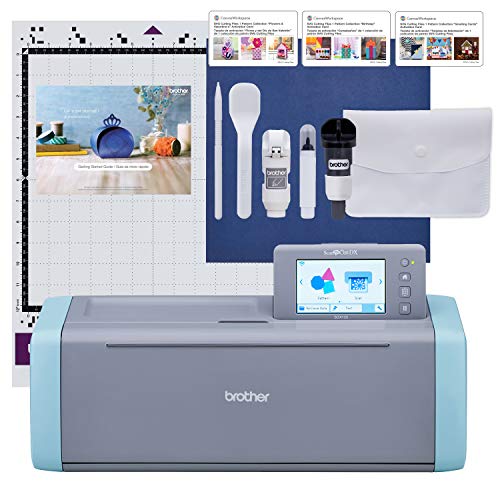
The ScanNCut is the only cutter in this guide with a built-in scanner, so you can scan a drawing or a material and cut around it without a computer. It lists 682 built-in designs, including 100 quilting patterns and nine fonts, with the option to add your own.

The auto blade and auto blade holder are described as using true automatic material detection, which removes the force setting from the process. Compared with the Cricut Explore 5 it works standalone, which suits crafters who do not want to rely on an app.

Scanning is the feature to use: draw a design on paper, scan it and cut it in vinyl. Keep the scanning glass clean, use the right mat for the material and replace the auto blade when cuts become ragged. It is a strong choice for quilters and papercrafters. A good first exercise is to scan a child's drawing, trace the outline and cut it in felt or vinyl, which shows how the scan-to-cut loop works. Material detection saves a lot of trial and error compared with setting pressure by hand, but it still helps to keep a swatch book of cuts with the material and the settings that worked, particularly for specialty films.

What works

  • Built-in scanner copies drawings and shapes
  • 682 built-in designs and nine fonts
  • Automatic material detection with the auto blade
  • Works without a computer

Watch out for

  • Smaller online community than Cricut
  • Upper-middle price tier

Spec sheet

Type
Electronic cutter with scanner
Built-in designs
682
Quilting patterns
100
Fonts
9
Blade
Auto blade and auto blade holder
05
Likcut S41 vinyl cutter with Print Then Cut
Print Then CutWired and wireless3-step workflowMicro-precision
Check price on Amazon
Best for: Sticker makers who want print-then-cut at a low tier.

The Likcut S41 is a lower-tier cutter that offers Print Then Cut, a three-step workflow and dual-mode wired and wireless connectivity. The listing emphasizes cutting stability and micro-precision control, with an AI image generation feature for stickers.

Compared with the Cricut Joy Xtra it is in a similar tier, and it is a good fit for sticker makers who want to print and cut without paying for a larger brand. Compared with the plotters it is a mat-based desktop machine, so it is limited to sheets.

Treat the AI image feature as a convenience, not a design tool, and test the registration marks on a spare sheet before a sticker run. Keep the blade fresh, use the correct mat tack and check connection mode if the machine stops responding. Sticker making is mostly a workflow problem: print, cut, weed or kiss-cut, then pack, and a cutter that makes the middle step reliable saves hours. Use matte or glossy sticker paper that the printer ink dries on quickly, because smudged ink makes registration marks unreadable, and let the printed sheet rest a few minutes before it goes on the mat.

What works

  • Low price tier
  • Print Then Cut for stickers
  • Wired and wireless connection
  • Simple three-step workflow

Watch out for

  • Smaller ecosystem than Cricut
  • Mat-based, so limited to sheets

Spec sheet

Type
Desktop cutter
Feature
Print Then Cut
Connection
Wired and wireless
Workflow
3-step
Position
Low price tier
06
VEVOR 28 inch vinyl plotter, 24.8 inch cut width
28.3 in feed24.8 in cutLCDSignmaster software
Check price on Amazon
Best for: Sign makers who want a roll-fed plotter at a low tier.

The VEVOR 28 inch is a roll-fed plotter with a maximum feed width of 28.3 inches and a cutting width of 24.8 inches. It has an LCD, dual adjustable spring rollers and two replaceable blades, with Signmaster software that works with most versions of common design programs.

A plotter handles roll vinyl, which is how sign makers buy material, and the extra width suits banners, car decals and large wall lettering. Compared with the Cricut Explore 5 it handles wider work but needs more setup, since you load the roll, align it between the pinch rollers and set force and speed.

Adjust the pinch rollers to the width of the vinyl, set blade force by test cuts on the same material, and keep the rollers free of lint. Use a stand or a stable table with space behind for the roll. Learn weeding and transfer tape application before taking paid work. Roll alignment is the usual first obstacle: a roll that feeds slightly crooked drifts as the cut gets longer, so set the pinch rollers over the grit marks, feed a meter of vinyl through and check that the edge tracks straight. Use the built-in test function, a small square cut, to confirm that the blade depth and force suit your vinyl, and keep the roll on a support so it can unwind freely.

What works

  • 28.3 inch feed width handles roll vinyl
  • Cutting width of 24.8 inches for large signs
  • Two replaceable blades
  • LCD and dual spring rollers

Watch out for

  • More setup than a craft cutter
  • Needs a stand or large table

Spec sheet

Type
Roll-fed plotter
Max feed width
28.3 inches (720 mm)
Max cutting width
24.8 inches (630 mm)
Blades
Two replaceable blades
Software
Signmaster
07
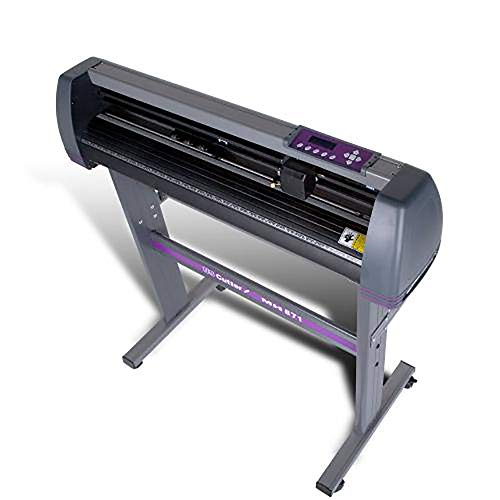
USCutter 34 inch vinyl plotter with stand
34 in feed30 in cutFloor standVinylMaster
Check price on Amazon
Best for: Small sign shops that want an established wide plotter.

USCutter's 34 inch plotter offers a 34 inch media feed and a 30 inch cut, with an included floor stand and VinylMaster Cut software. The listing calls it the best-selling vinyl cutter in its market for ten years and mentions US-based technical support.

The floor stand matters because a wide plotter needs somewhere for the roll to sit and feed from. Step up from the VEVOR 28 inch and it offers a wider cut and a more established support story, at a higher tier.

Set it up with the stand, thread the vinyl between the pinch rollers, calibrate force with test cuts and keep the rollers clean. Plan a workflow for weeding and transfer tape, since a sign shop's time is spent after the cut, not during it. A wide plotter also needs a place to land the cut vinyl, so leave a clear table or a catch basket in front of the machine and keep the floor stand away from pets and chairs. Learn the software's contour-cut and weed-border functions, because a weed border speeds up the removal of excess vinyl on a long decal, and train yourself to use registration marks when you print on a separate printer.

What works

  • Thirty inch cutting width
  • Floor stand included
  • VinylMaster Cut software
  • US-based technical support

Watch out for

  • Higher tier than the 28 inch plotter
  • Needs floor space and a computer

Spec sheet

Type
Roll-fed plotter
Feed width
34 inches
Cut width
30 inches
Stand
Included floor stand
Software
VinylMaster Cut

Spec sheet decoder

What the numbers on the box really mean

The specs manufacturers lead with, translated into what they tell you about real-world performance.

Max feed width

The widest material the machine can load.

Watch forThe VEVOR 28 inch lists 28.3 inches and the USCutter lists 34 inches.

Max cutting width

The widest area the blade can cut. It is smaller than the feed width.

Watch forThe VEVOR lists 24.8 inches and the USCutter lists 30 inches.

Cutting force

The downward pressure on the blade, in grams.

Watch forA competing VEVOR listing cites 10 to 500 grams.

Print Then Cut

The machine reads registration marks from a printed sheet and cuts around the image.

Watch forListed on the Joy Xtra and Likcut S41.

Auto blade

A blade holder that adjusts depth automatically.

Watch forThe ScanNCut lists true automatic material detection.

Methodology

How We Evaluated These Vinyl Cutting Machines

Width and capacity

We compared cut widths from the 12 inch bed of the Explore 5 to the 30 inch cut of the USCutter.

Cutting control

We read force and blade features, including the auto blade on the ScanNCut and adjustable force on the plotters.

Software and workflow

We weighed Design Space, ScanNCut software, Signmaster and VinylMaster for ease and portability.

Material range

We noted supported materials, 100 plus on the Explore 5 and 50 plus on the Joy Xtra.

Value

We placed each machine by price tier and asked what each tier adds.

Decision guide

How to Choose the Right Vinyl Cutting Machines

By Project

SituationPickWhy
Home crafts and vinylCricut Explore 512 inch bed, 100+ materials
Branching into fabricCricut Maker 4Maker class
Labels and small decalsCricut Joy XtraCompact
Scan and cut drawingsBrother ScanNCut SDX125EBuilt-in scanner
Stickers on a budgetLikcut S41Print Then Cut
Large signsVEVOR 28 inch plotter24.8 inch cut
Wide-format signsUSCutter 34 inch plotter30 inch cut and stand

By Budget

TierPickWhy
Lowest tierCricut Joy XtraCompact
Low tierLikcut S41Print Then Cut
Low-middle tierVEVOR 28 inch plotterRoll feed
Middle tierCricut Explore 512 inch
Upper tierBrother ScanNCut SDX125EScanner
Top tiersCricut Maker 4 and USCutter 34 inchPremium

Craft Cutter vs Plotter

Craft cutter

The Cricut and Brother machines and the Likcut use a mat and a 12 inch bed. They are easy to learn and suit stickers and iron-on.

Plotter

The VEVOR and USCutter feed roll vinyl and cut long signs. They need a stand and more setup.

Pick a craft cutter for crafts and stickers; pick a plotter for signs.

Software Preference

PreferencePickWhy
Guided appCricut Explore 5Design Space
StandaloneBrother ScanNCut SDX125EScanner
Sign softwareUSCutter 34 inch plotterVinylMaster
Sign softwareVEVOR 28 inch plotterSignmaster

For Selling Stickers Specifically

Look for

Print Then Cut, accurate registration and a reasonable cut width. Sticker businesses live on repeatable cuts.

In this comparison

The Likcut S41 and Cricut Joy Xtra offer Print Then Cut, and the Explore 5 has a 12 inch bed.

When to Spend More

Spend more if

You cut signs or run a business: the VEVOR or USCutter plotter.

Save if

You cut a few stickers. The Joy Xtra or Likcut S41 is enough.

Ownership

Maintenance schedule

The upkeep that decides whether this machine lasts two seasons or ten.

TaskIntervalWhy it matters
Replace the bladeWhen cuts tearA dull blade lifts the vinyl and tears edges.
Clean the cutting mat or rollersRegularlyLint reduces tack and grip on the pinch rollers.
Test cut after material changesEach new materialForce depends on material. A test cut avoids waste.
Keep the machine dust freeAfter sessionsDust enters the carriage and affects accuracy.
Back up designsRegularlyCraft software ties designs to an account.

FAQ

Frequently Asked Questions

Which vinyl cutter is best for beginners?

The Cricut Explore 5 is a good starting point with 100 plus materials and guided software. The Joy Xtra is the compact option.

Do I need a plotter or a craft cutter?

Craft cutters suit stickers and iron-on. Plotters suit signs and roll vinyl.

What is Print Then Cut?

The machine reads marks on a printed sheet and cuts around the image. It is used for stickers.

How do I set blade force?

Use test cuts on the material. Increase force slightly until the vinyl cuts cleanly without cutting the backing.

Can I cut vinyl without a computer?

The Brother ScanNCut works standalone. Most others need software on a computer or phone.

Why do my cuts tear?

Usually a dull blade or low force. Replace the blade and test again.

Bottom line

The short version

Browse more vinyl cutting machineson Amazon →
James Miller, Lead Machine Editor

About the author

James Miller

Lead Machine Editor, MachineFanatic

James Miller leads MachineFanatic's buying guides, turning spec sheets, manuals and owner feedback into clear verdicts on power tools, outdoor power equipment, shop machines and kitchen machines.

More from James →

Keep reading

Related guides